What is Meta Muse, and where do I get it?
Muse is Meta's personal AI agent. Everything here happens in your conversation with it, on your phone, with no terminal.
| What you need | Where it comes from |
|---|---|
| The Muse app | The App Store for iOS or Google Play for Android. Meta's download page lists current availability |
| The screenRIG connector | Muse's connectors directory |
| The Player | The Downloads page, or the web Player in any modern browser |
Your Muse login is separate from your screenRIG account, and Muse never needs your screenRIG password.
How do I connect Meta Muse to a TV?
- Add screenRIG from Muse's connectors directory.
Send Muse this message:
Text Set up screenRIG using its official Muse connector. Install the official screenRIG plugin it provides, verify the bundled CLI, and help me set up my first screen.- Review what Muse asks for. It asks for account, installation and tool-access approvals in the conversation. The connector gives Muse the plugin, so you paste no address. Muse confirms the plugin works before it goes on.
- Give it your email. Muse creates your screenRIG project and emails you an invitation to the dashboard. Nothing waits on that email, so Muse goes straight on to pairing.
- Open the Player on the TV and send Muse the code. Keep the web Player in the foreground while you try it.
- Say what to show. Muse publishes, asks the screen for a screenshot and tells you what it saw. Check the glass yourself too.
Already have the code? Say it all at once: "Use screenrig.ai for my lobby screen. My pairing code is [code]. Create a welcome board using my events calendar. Ask me for anything else you need."
Set up screenRIG in Meta Muse has every step.
What can I ask Muse?
This is a first run from a recorded session on a test screen. The venue is made up.
- You
Use screenrig.ai to pair this screen. The code is ABC 234. Call it Devices TV.
- Agent
Paired. Devices TV shows PAIRING COMPLETED and is online.
- You
Put up a board with two messages. Tonight: open house at 5 pm, doors open at five, coffee and tours start at the front desk. This week: free Wi-Fi in the lounge, ask at the front desk for the network name.
- Agent
Done. Devices TV is showing the board, the open house first and the Wi-Fi message after it. It was on the screen about two seconds after I published it, and I checked a screenshot.
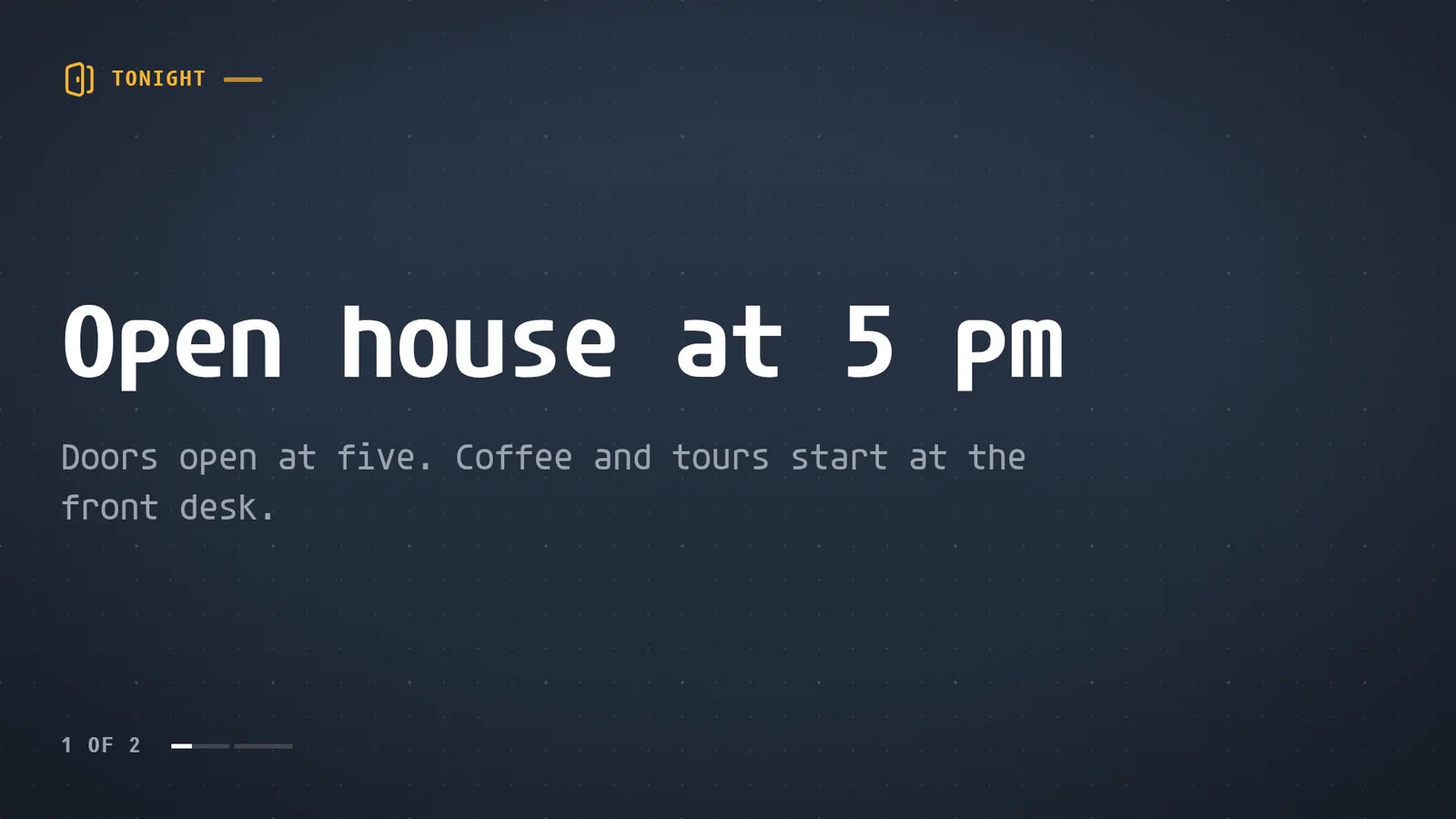
The same conversation keeps going. Ask Muse to change a line, add a closing notice or put the board on a second TV, and it does it in the same project.
What can Muse do with my screens?
- Publish. Posters, menus, photos, video, web pages, live streams and the 200+ ready-made apps, on one screen or many.
- Schedule. Breakfast, lunch and dinner menus, or a closing notice, each in the screen's own time.
- Take over. One request puts a notice on every screen with a tag, for a set time up to 7 days or until it is cleared.
- Check. A screenshot of one screen or of every tagged screen, and the Player's own report that it is playing.
- Wait for you. With Require review for agent changes, or Propose access, each change waits for your approval in the dashboard.
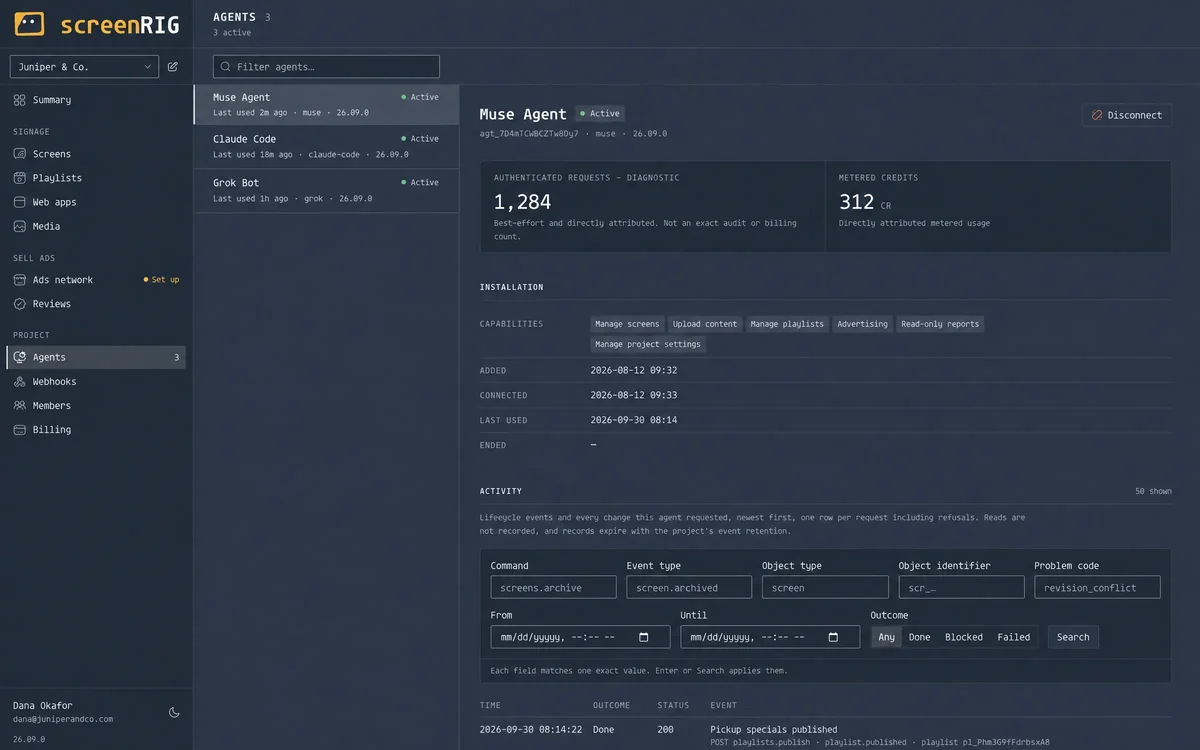
Every agent has its own record in the dashboard.
What limits should I know about?
- The Player must be open on the device that drives the screen. Muse publishes whenever you ask, and the screen plays it only while the Player runs.
- A chat reply alone does not install the plugin. If Muse cannot install or run it, ask what access or capability is missing, or use Claude Code or ChatGPT Codex.
- Availability is Meta's. Meta's download page lists where Muse is offered.
- Share only what the screen needs. When Muse reads a sheet or a calendar, identify the source and approve only the access you want it to have.
Meta Muse questions
Can Meta Muse control a TV?
Yes. Muse runs the official screenRIG plugin, which pairs the screen, publishes content and checks a screenshot of the screen.
Do I need a computer for Meta Muse?
No. You set it up and run it from the Muse app on your phone. The TV or stick needs the Player installed, or any screen can open the web Player in a browser.
Can Muse see what is on the TV?
It can ask the screen for a screenshot and look at it. Publishing also waits for the Player to report the new playlist, up to two minutes, and says whether it is playing.
Can Muse run several screens?
Yes. Tag the screens, and one request changes, schedules or takes over every screen with the tag. The answer reports each screen's own result.
Does Muse need my screenRIG password?
No. Muse signs in with its own credentials. Never paste passwords, invitation links or tokens into the conversation.
Related
More guides
screenRIG is free.
Install the official plugin, pair a screen and your agent publishes to it.