Live card previews
Menu board
A menu board that sets itself: sections, prices with hairline rules, dietary marks and sold-out items, flowing into as many columns as it needs.
Daily specials
Show today's featured dish and price, with the whole week alongside.
Happy hour
Weekly happy-hour windows with a countdown: the specials at their happy price while one is on, and when the next one starts.
Price matrix
Place items down the side and sizes across the top, with a price where they meet: coffee, taps, wine, dispensary weights and fuel, plus add-ons.
Combo meals
The numbered meal deals of a quick-service board: photo, what is in each combo, the price with the saving, the upsize step and the calories.
Allergen matrix
Show staff-supplied allergen declarations and calories, arranged by menu item.
How do I put a menu on a TV for free?
Install the official plugin in your agent, put the Player (the free screenRIG app) on the TV and read its pairing code to your agent. Start has the steps. Then send your agent the menu and the hours, and it builds the board and checks a screenshot of the TV before it says it is done.
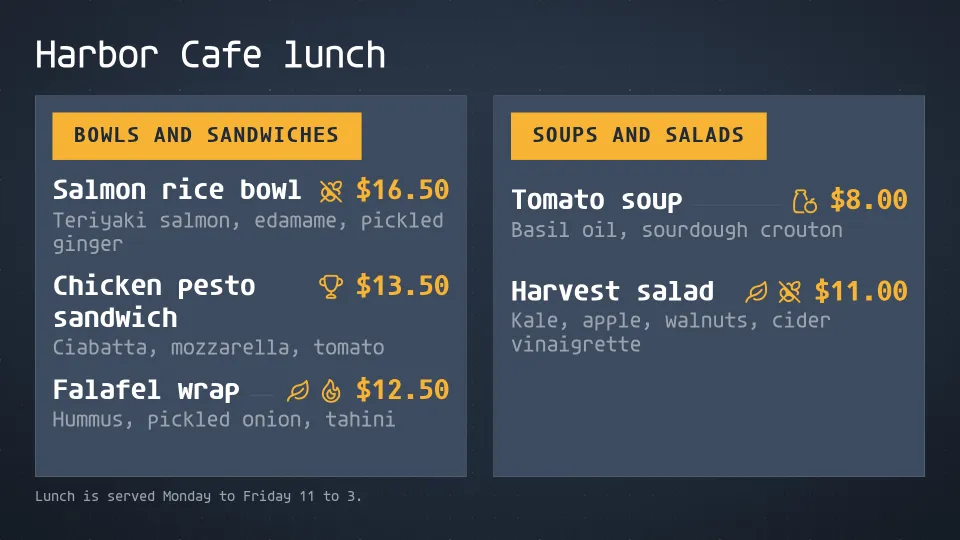
Harbor Cafe is a made-up cafe, so its menus are demo content. The recording is real: 26 October 2026, on screenRIG's test environment, with the pictures drawn by the Player in a browser window standing in for the TV. Your agent needs three things from you:
- The menu. Typed text, a photo of the printed menu, a PDF or a spreadsheet. Your agent reads it with its own access, so screenRIG never connects to your files.
- The hours. When breakfast, lunch and dinner run, and the TV's time zone.
- The look. A theme, or your own logo and photos.
Your agent picks the build that fits: a ready-made menu board for a menu that changes, finished images for a designed look, or slides for tables and measured layouts.
Breakfast, lunch and dinner by the clock
Each meal is its own menu board. Your agent gives the screen a schedule in the screen's own time zone, and the TV switches within about a minute of each boundary. The Player needs no update. Because each screen follows its own clock, stores in Denver, Phoenix and Los Angeles each change at their own local time.
| You say | What happens |
|---|---|
| "Breakfast until 10:30, lunch until 4, dinner after that." | One menu for each part of the day, switched by the screen's clock. |
| "Happy hour from 4 to 6 on weekdays." | The happy-hour page plays only in those hours, and the rest of the board plays all day. |
| "Late menu from 10 pm." | The late menu takes over at 10 pm, screen time. |
| "We close early tonight." | A notice goes on top of everything for as long as you say, up to 7 days. Then each screen returns to its schedule on its own. |
| "Every store changes at its own 6:00." | Each screen follows its own time zone. |
Sold out, in one sentence
- You
We're out of the salmon rice bowl.
- Agent
Done. The salmon rice bowl is struck through and marked sold out on the lunch menu, and the board re-flowed into one column. The TV updated a few seconds after I changed it. I did not republish anything.
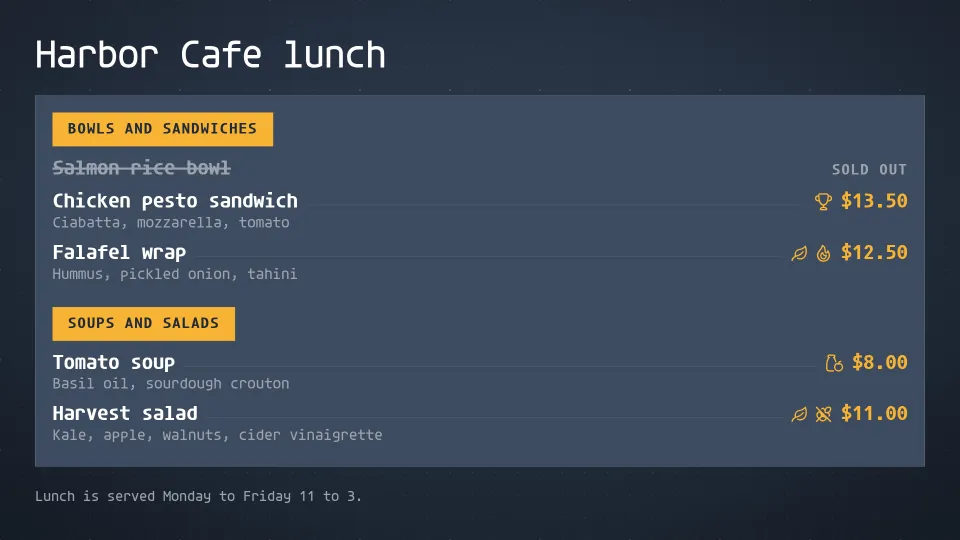
The menu is separate from the TV's playlist, so a sold-out mark or a new price reaches the screen in seconds, with no trip to the TV. Give each store its own menu board when menus differ. Screens that show the same board show the same menu. The whole session, three menus, the schedule and the sold-out change, took about 23 seconds of the agent's working time. The restaurants use case follows a sample chain that pulls a sold-out item from every Denver kiosk with one message.
A happy hour that counts itself down
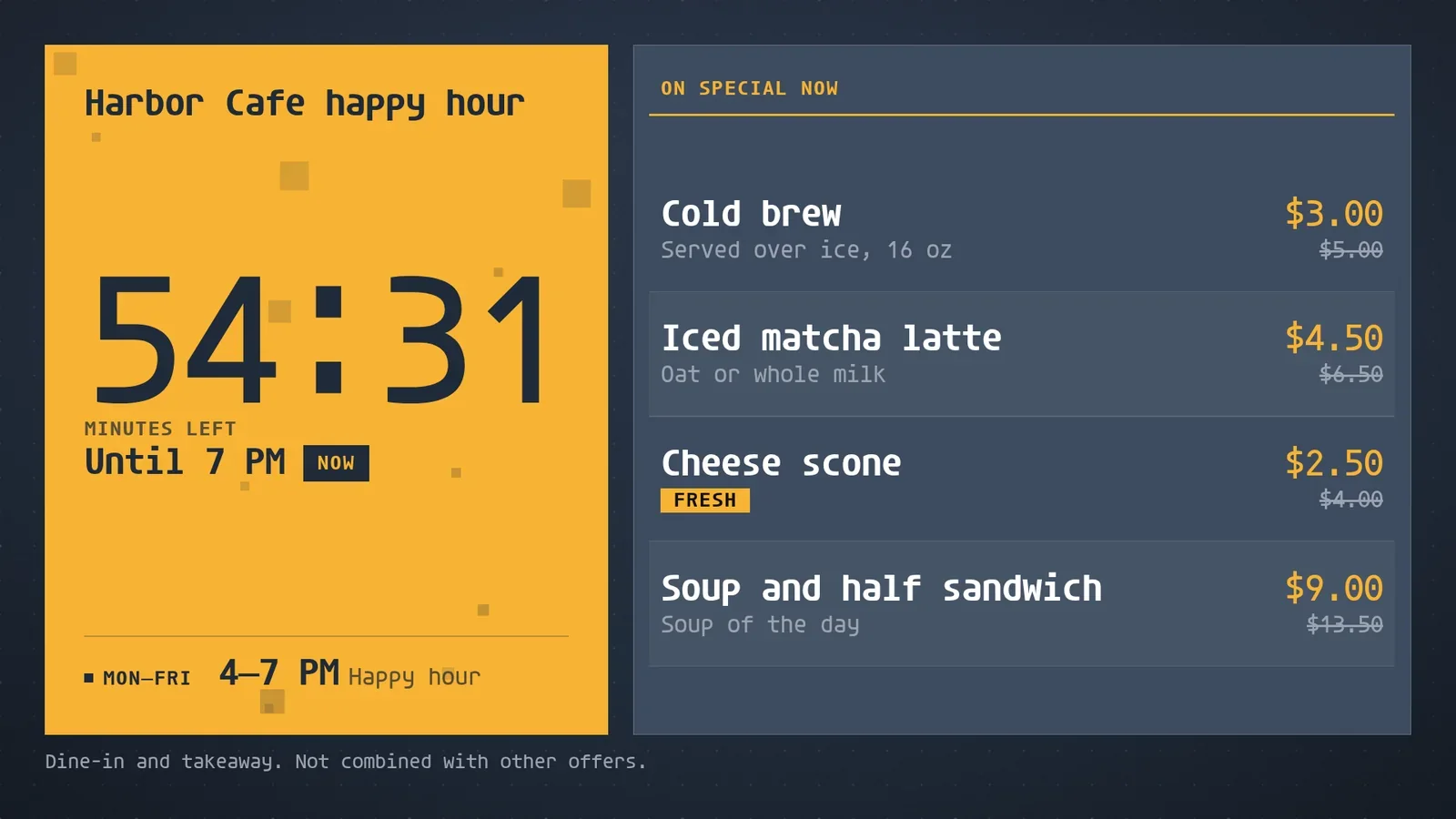
The same board can carry a second job. The Happy hour app reads the clock in the screen's time zone. While a happy hour is on, it shows the time left and the specials at their happy prices, with the regular prices struck through. When none is on, it counts down to the next one. This one was recorded at 18:04 on a Monday in Honolulu.
- You
Harbor Cafe has a happy hour on weekdays from 4 to 7. Put it on the counter TV with the specials and their regular prices struck through, so the board counts down to the end of happy hour while it is on and to the next one when it is not.
- Agent
It's up. The board counts down to the end of happy hour at 7 PM, shows the weekday hours, 4 to 7 PM, and lists four specials with their regular prices struck through.
- You
The cold brew is $3 now.
- Agent
Changed. Cold brew shows $3.00, down from the struck-through $5.00. I did not touch the playlist.
Which ready-made apps make a digital menu board?
The live previews at the top of this page show each of these.
| App | Use it for |
|---|---|
| Menu board | The full menu: sections, prices, dietary marks and sold-out items, in as many columns as it needs. |
| Daily specials | The featured dish and price of the day, with the whole week alongside. Dated exceptions replace the regular dish. |
| Happy hour | Weekly windows with a countdown: the specials at their happy price while one is on, and when the next one starts. |
| Price matrix | Items down the side and sizes across the top, with add-ons: coffee, taps and wine. |
| Combo meals | Numbered meal deals: a photo, what is in each combo, the price with the saving, the upsize step and the calories. |
| Allergen matrix | The allergen declarations and calories your staff supply, by menu item. Information you leave out stays unknown. |
Promo adds a big photo, the price on a tag, an ends-in countdown and a QR code for a featured offer. Fresh now shows freshly baked batches and the minutes since baking. Build your own lays out a meal as numbered choices with upcharges. Apps lists every one.
Which TV do I need for a menu board?
Almost any screen works:
- A TV or stick with Google TV or Android TV built in, an Amazon Signage Stick or a Fire TV Stick.
- A Raspberry Pi, a Linux PC, a Windows PC, a Mac or an Apple TV.
- A BrightSign player or a Samsung signage display.
- Any screen with a browser.
Boards come in landscape and portrait, so a menu can hang either way, and every Player keeps playing from its own storage when the network drops. Android TV and Players have the details.
What does a free menu board cost?
screenRIG is free. Pay only if you want more: more than 50 screens, people to talk to, contract terms, custom work or a lot of storage. A menu library is small. The pricing page's own example is a cafe with 3 screens and a 20-slide menu, about 20 MB. Your screens show only your content: no screenRIG watermark or logo. Image generation is billed separately, by token, and the first 10,000 agent requests a month are free. See pricing.
Free digital menu board questions
Can the board show photos of dishes?
Yes. The Combo meals and Promo apps show a photo, and your agent uploads your photos first.
Can the board show allergens and calories?
Yes. The Allergen matrix shows the declarations and calories your staff supply, against the US, EU/UK or Canada allergen list. Each cell reads contains, may contain, not declared or unknown, and compact views direct guests to the team for complete details.
Does it take orders?
No. A menu board shows the menu. For a touch screen that visitors tap, see free kiosk software.
Does the board keep playing when the internet drops?
Yes. Each Player keeps what it downloaded and replays it from local storage, so a board of images and video keeps playing. Live web pages and connected apps can still need a network.
How do I run menu boards in many locations?
Tag screens by place, then address the tag. One request changes every screen with that tag, each screen reports its own result, and your agent captures a screenshot from each. Schedules follow each screen's own time zone.
Can a spreadsheet drive the menu?
Your agent reads the sheet with the access you approve and puts the rows on the board. The Google Sheets guide shows the pattern with a table.
Put your menu on a TV
Start free, pair a TV, send your agent your menu and ask for a screenshot before you walk away.
Related
screenRIG is free. Pay only if you want more.
Install the official plugin, pair a screen and your agent publishes to it.