Ask once, and the table is on the TV
- You
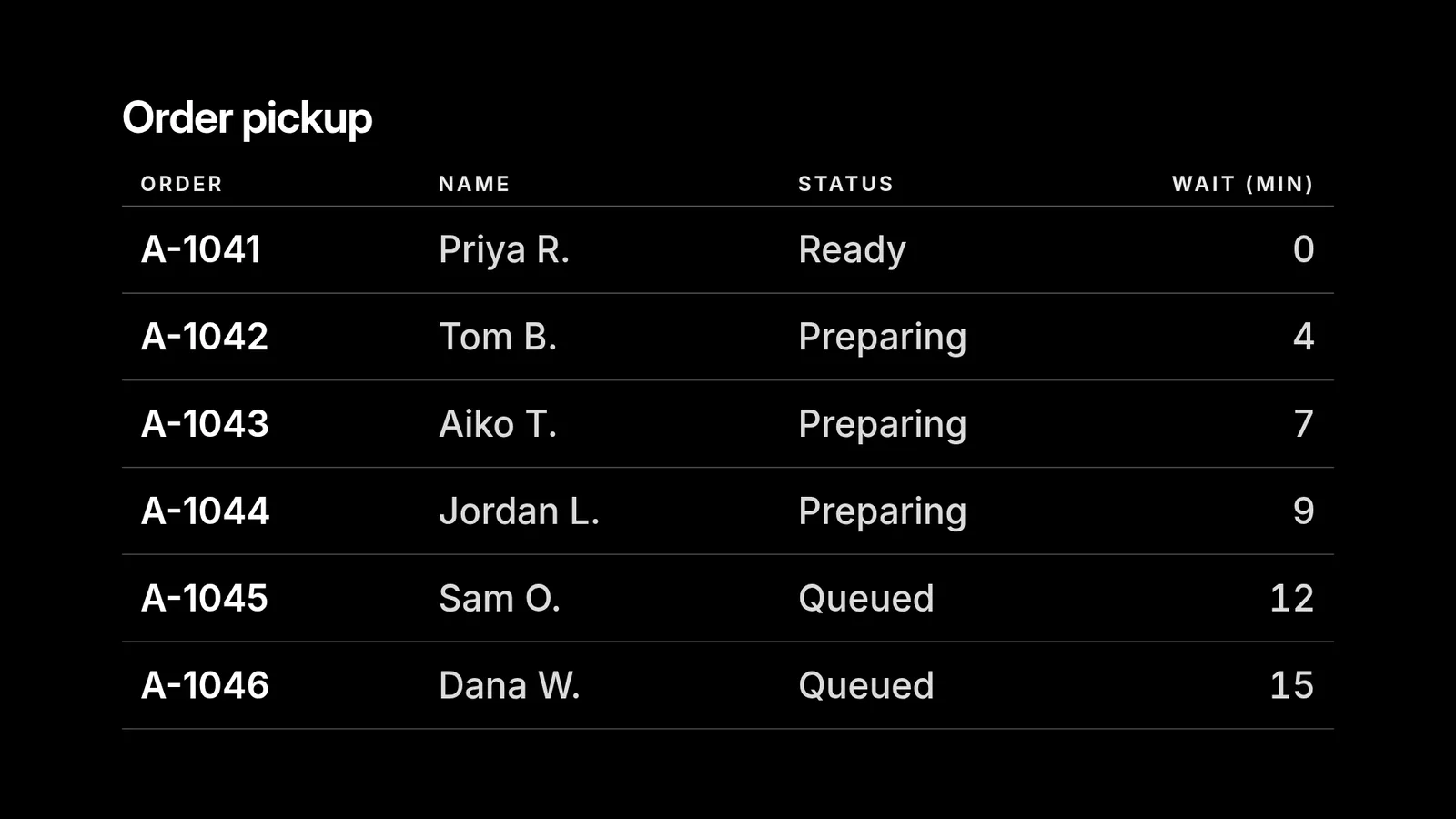
The open orders are in the "Pickup" tab of our order sheet. Put them on the counter TV as a table: order, name, status and wait in minutes, lowest order number first. When I mark an order Ready, the TV should follow within seconds.
- Agent
The pickup list is on the counter TV: six open orders, lowest number first. The TV confirmed it had the table about two seconds after I sent it. I read your sheet with my own Google access, so the sheet stays private and only the rows on the screen go to the TV.
The orders here are made up. They stand in for what your agent reads from your sheet.
When the sheet changes
- You
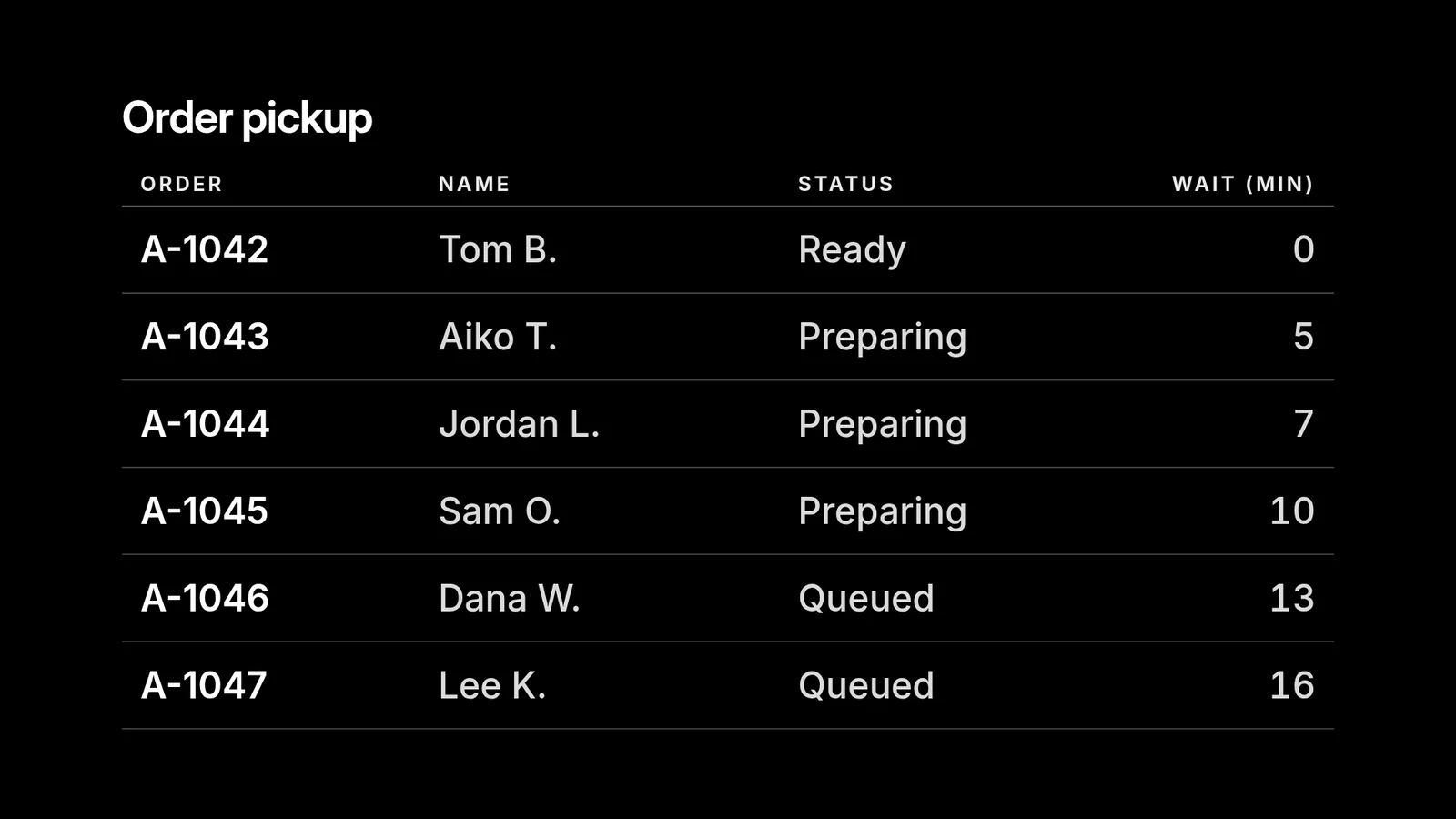
I just updated the sheet: A-1041 was collected, A-1042 is Ready, and A-1047 is new. Update the TV.
- Agent
Updated. A-1041 is off the list, A-1042 is Ready and at the top, and A-1047 is waiting in the queue. The TV showed the change a little over two seconds after I sent it, and there was nothing to republish.
Who keeps it current
You don't have to tell your agent about every edit. Ask once: "Check the Pickup tab every five minutes and keep the TV matching it." The schedule belongs to your agent. Gemini Spark can run a recurring task, and ChatGPT dots keep working between conversations, so either repeats the check without your computer. An agent on your own computer repeats it while that computer is on.
- Old rows don't linger. Every update in this session carried a two-hour expiry. If the routine stops, the rows clear from the screen instead of staying up for days.
- Updates are cheap. Each update is one agent request. An update every hour is about 720 requests a month, and Standard includes 10,000. Pricing lists the rest. A picture of the screen is free.
Long sheets and tricky cells
A table holds up to 50 rows and shows them a page at a time. With eight rows to a page, an 18-row sheet became three pages. They turn every eight seconds, and dots in the corner show where you are.
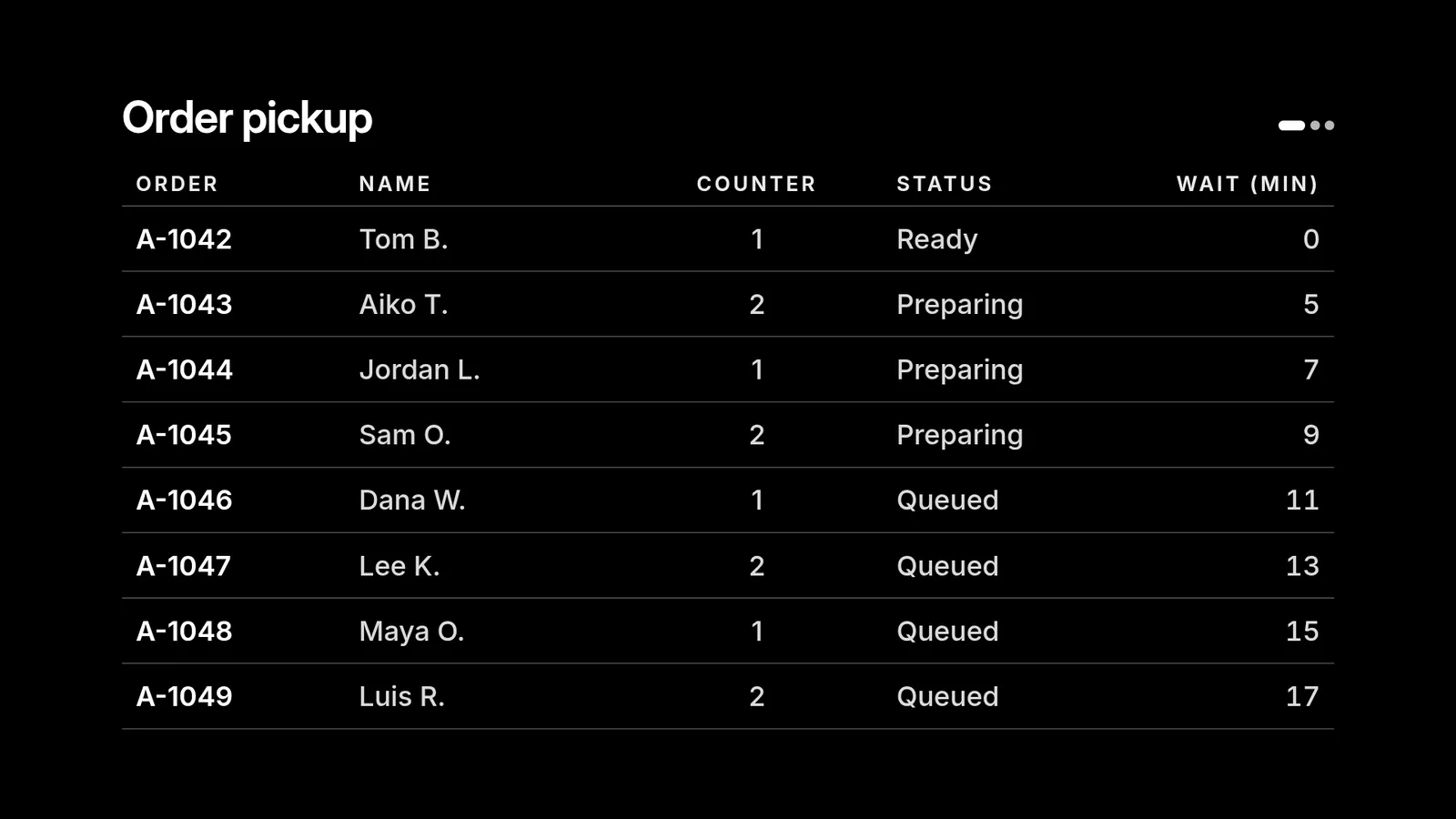
- A new column changes the layout too. Cells and rows update live. A new, renamed or reordered column also changes the table's layout, so your agent sends the TV the layout again. Ask for the column and it appears.
- Send numbers as numbers. Your agent sends 182500 and the table shows $182,500. A cell sent as text, like "7 min", is drawn as it is, with no number formatting and no sorting.
- Formulas stay in the sheet. Your agent sends the values it reads.
- One number or a trend instead? The dashboard guide draws big numbers and charts.
Why not just publish the sheet?
Google has its own route: File > Share > Publish to web. It works, with trade-offs. A published sheet is open to anyone with the link, and Google's help says an update can take a few minutes. The TV then shows an ordinary web page that needs the internet the whole time. With your agent the sheet stays private. An update reaches the TV in seconds, and the table's text is sized to read across the room. screenRIG is free. Pay only if you want more.
Next: want one big number or a chart from the same sheet? Show a dashboard on a TV draws both.
Related
screenRIG is free. Pay only if you want more.
Install the official plugin, pair a screen and your agent publishes to it.