Live card previews
Number
One big value with a label, a prefix and a suffix in their own colours, plus a change.
Gauge
Shows one to six readings as big numbers with the band named in words and a dial, bar, tank or battery shape.
Chart
Columns, bars, lines, areas or a donut with one hero figure, few gridlines and direct labels.
Ask for the numbers
- You
Every few minutes, read orders today, open tickets and checkout speed from our dashboard and put them on the ops TV. Big numbers first, then the hourly orders as a chart. If a number stops updating, the screen should stop showing it.
- Agent
Done. Page one shows 1,297 orders today, 37 open tickets and checkout speed at 182 milliseconds. Page two is the hourly orders chart, with a line at the target of 120. The pages swap every 15 seconds. The TV confirmed the board, and I checked both pages on the screen.
The numbers here are made up. They stand in for what your agent reads from your dashboard.
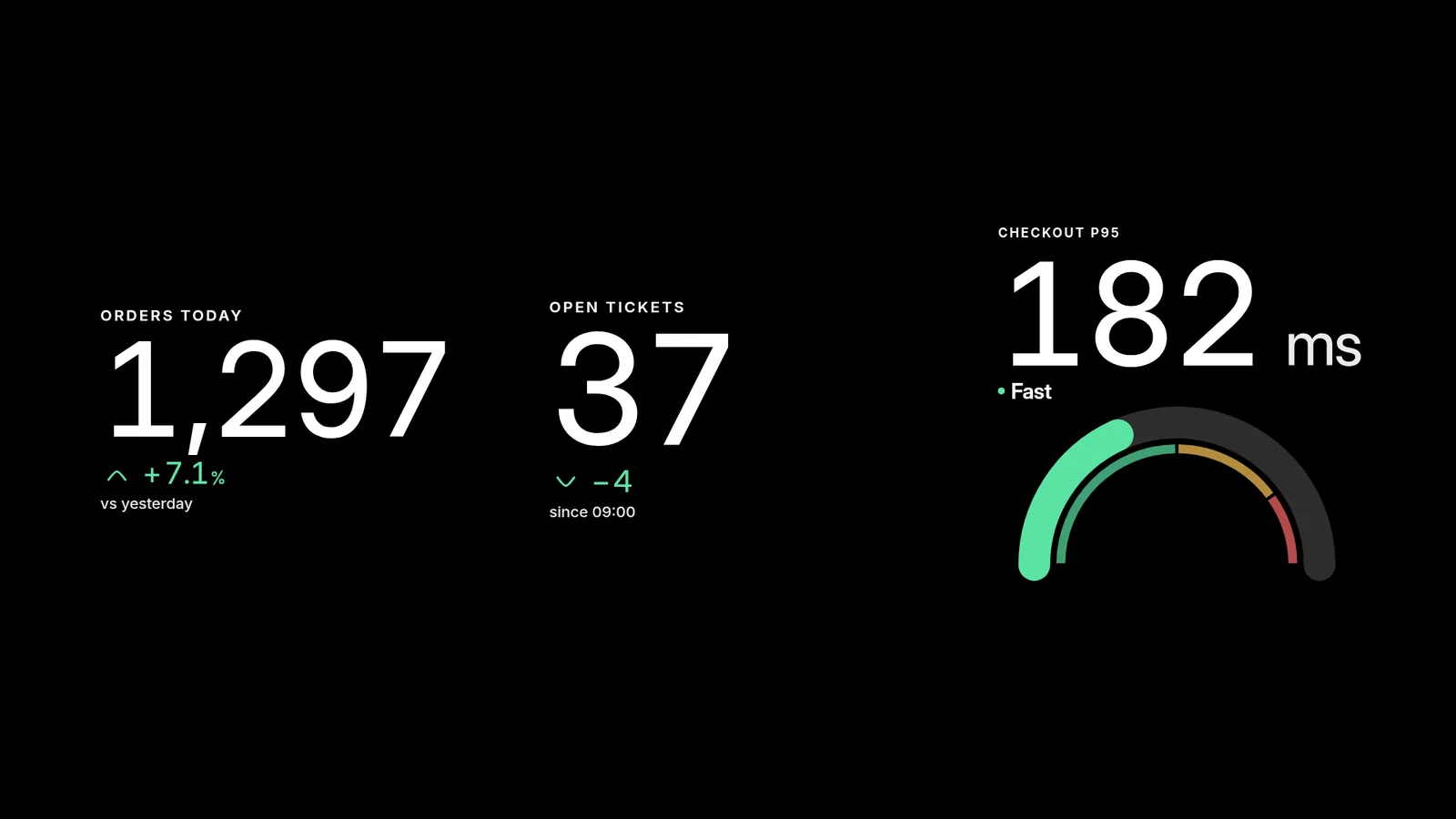
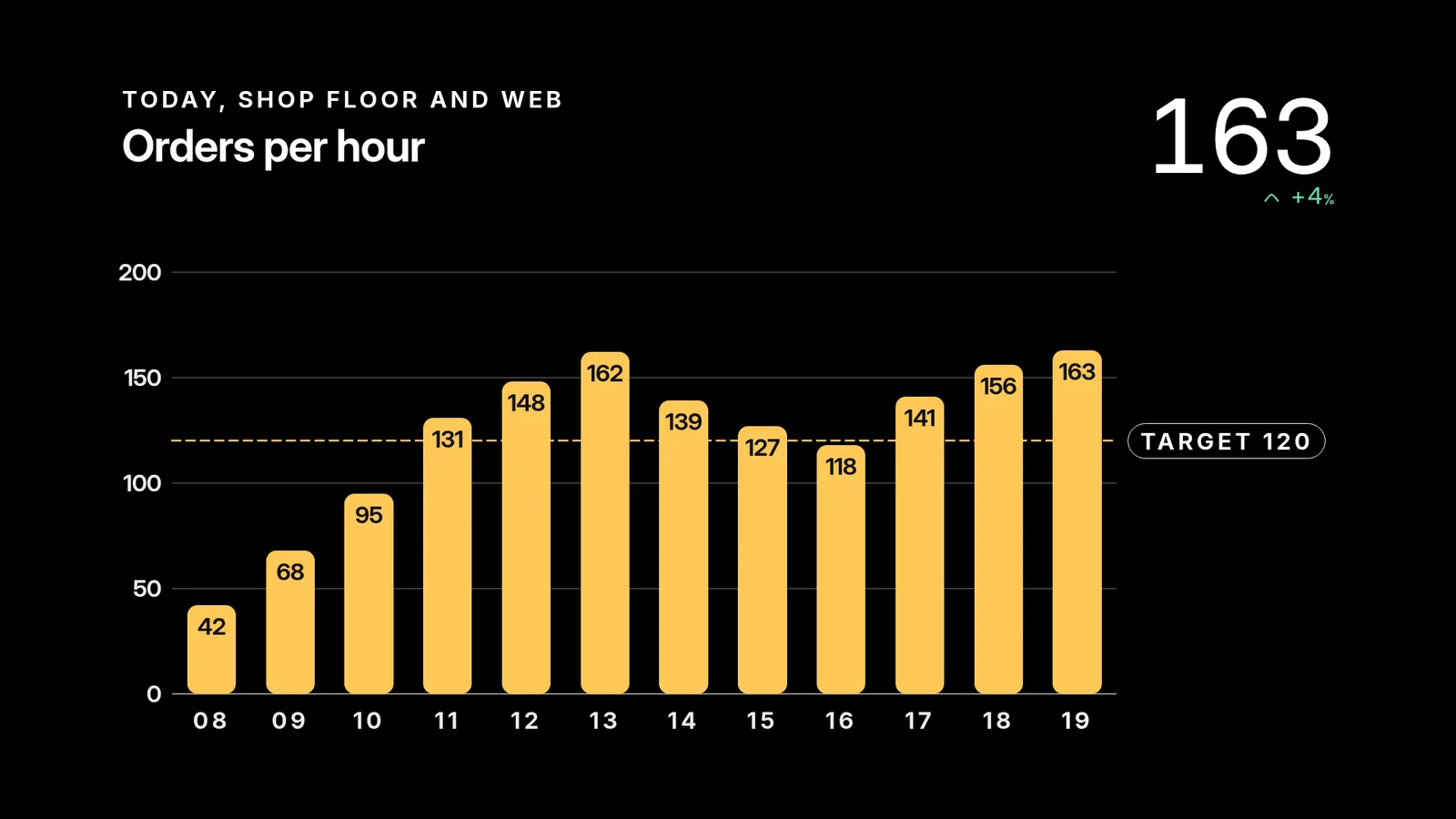
Your agent picks from the ready-made apps: big numbers, gauges in seven shapes and charts in five kinds. Each is drawn by the Player on the TV, so a picture of the screen shows it.
A number that stops updating goes blank
- You
Prove that a stale number really disappears.
- Agent
Done. I gave the orders reading a 30-second life, waited, and refreshed the screen. The orders card came up empty while the other two kept their numbers. A blank spot is honest. A number that is hours old is not.
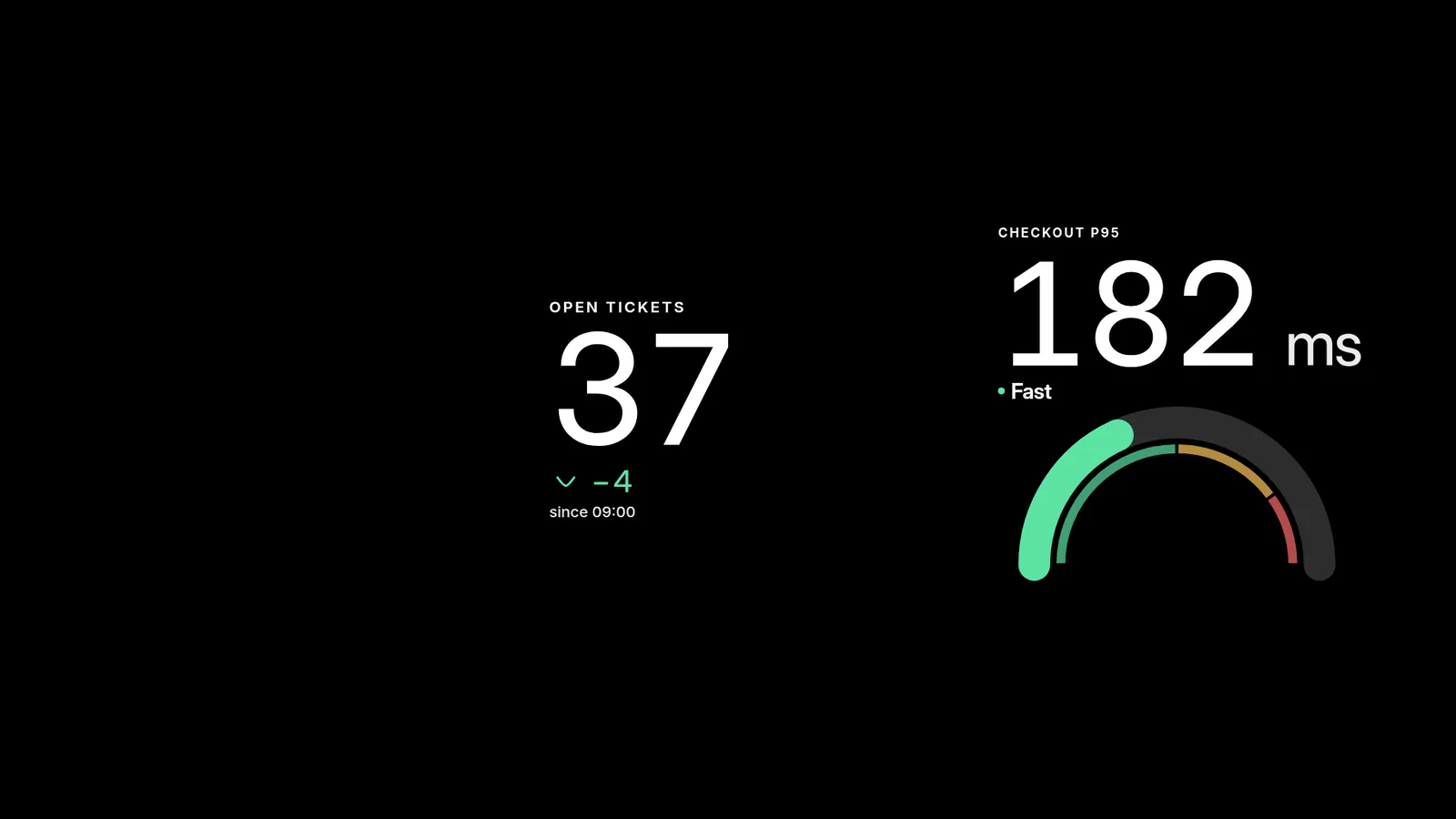
Pick an expiry longer than the refresh gap, so one missed update doesn't blank the card. A card with no reading yet stays hidden until your agent writes one.
Already have Power BI, Grafana or Looker Studio?
If your tool offers a public view, your agent can put its address on the TV as a web page. Each tool has rules:
- Grafana: "Share externally" makes a read-only link that anyone with the address can open. A self-hosted Grafana also needs embedding switched on before it can be shown inside another page.
- Power BI: "Publish to web" makes the report public to anyone on the internet, and your Power BI admin has to allow it. Microsoft warns against it for confidential data, and the data is cached for an hour, so it suits numbers that rarely change.
- Looker Studio: turn on embedding in the report and share it with anyone who has the link. A report shared with named people needs a Google sign-in, which a TV can't give.
Your agent's number, gauge and chart apps need none of that. The numbers come from your agent's own access, so nothing is public. They are sized to read across a room, they refresh as often as you ask, and they go blank when stale. They are drawn on every Player, Apple TV included, which can't show web pages. screenRIG is free. Pay only if you want more.
Next: see everything your agent can put on a screen in 200+ ready-made apps.
Sources
Related
screenRIG is free. Pay only if you want more.
Install the official plugin, pair a screen and your agent publishes to it.