Digital Signage Guides for AI Agents: all pages
Pick the guide for what you have
| You have | You say | Guide |
|---|---|---|
| A Google Sheet | "Put our order pickup sheet on the counter TV and keep it current." | Display a Google Sheet on a TV |
| A Google Slides deck | "Put our all-hands slides on the break room TV." | Google Slides digital signage |
| A dashboard or a few key numbers | "Show orders, open tickets and checkout speed on the office TV." | Show a dashboard on a TV |
| A website | "Keep our status page on the lobby TV all day." | Display a website on a TV 24/7 |
| An IP camera | "Show the entrance camera on the lobby TV." | Show an RTSP camera on a TV |
| An Android TV or Google TV | "Make this TV start on our signage after a power cut." | Android TV kiosk mode |
| An app file for Google TV | "Check this app file before I put it on the TV." | Sideload apps on Google TV |
| A script or a CI job | "Put the latest build status on the team TV." | Publish content to a TV programmatically |
| Nothing yet | "Make a welcome board for reception and show me a preview first." | Control TV screens with an AI agent |
New to screenRIG? Start installs the official plugin in your agent. The TV runs the screenRIG Player, an app that shows a code you read to your agent.
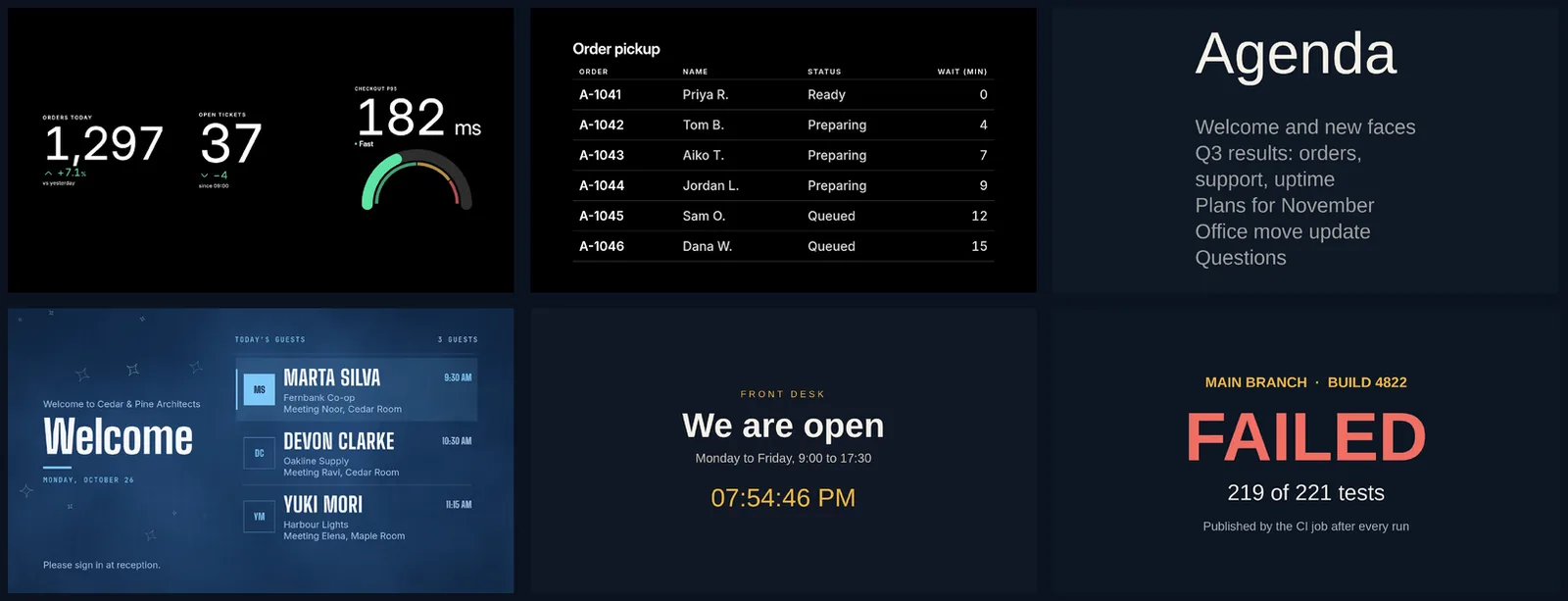
No editor, just a conversation
Signage was built around an editor. screenRIG is built around a conversation. You say what you want in plain words. Your agent makes it, puts it on the screen and checks that it got there. screenRIG is free. Pay only if you want more.
Real sessions, made-up details
Every guide comes from a real session on a test project, with an agent and a Player. The conversations are told in plain words, and the pictures are the Player's own. Every guest, order, number, sheet and deck is made up. The exact commands behind a conversation are in the CLI reference.
Next: not sure where to start? Control TV screens with an AI agent follows one board from the first request to the last change.
Related
screenRIG is free. Pay only if you want more.
Install the official plugin, pair a screen and your agent publishes to it.