Put the deck on the TV
- You
Our all-hands deck is in Google Slides. Put the slides on the break room TV, 10 seconds each, and keep them there. When I change the deck, update the TV and send me a picture of the slide that changed.
- Agent
Done. The four slides are on the break room TV, 10 seconds each. I exported the deck with my own Google access, the TV confirmed it had the slides about two seconds after I sent them, and I checked slide two on the screen. Here it is.
The deck in this guide is a four-slide stand-in, made for the recording.

Make the small type big
A deck written for a laptop is hard to read from across a room. Your agent can rebuild the slides that are mostly text.
- You
That agenda is hard to read from the door. Make it big enough for the room.
- Agent
Rebuilt. The agenda is now large light type on a dark background, in a centred column, with the body text almost twice the size. My first layout sat too close to the left edge, where some TVs crop the picture, so I moved it in. It's on the screen now.
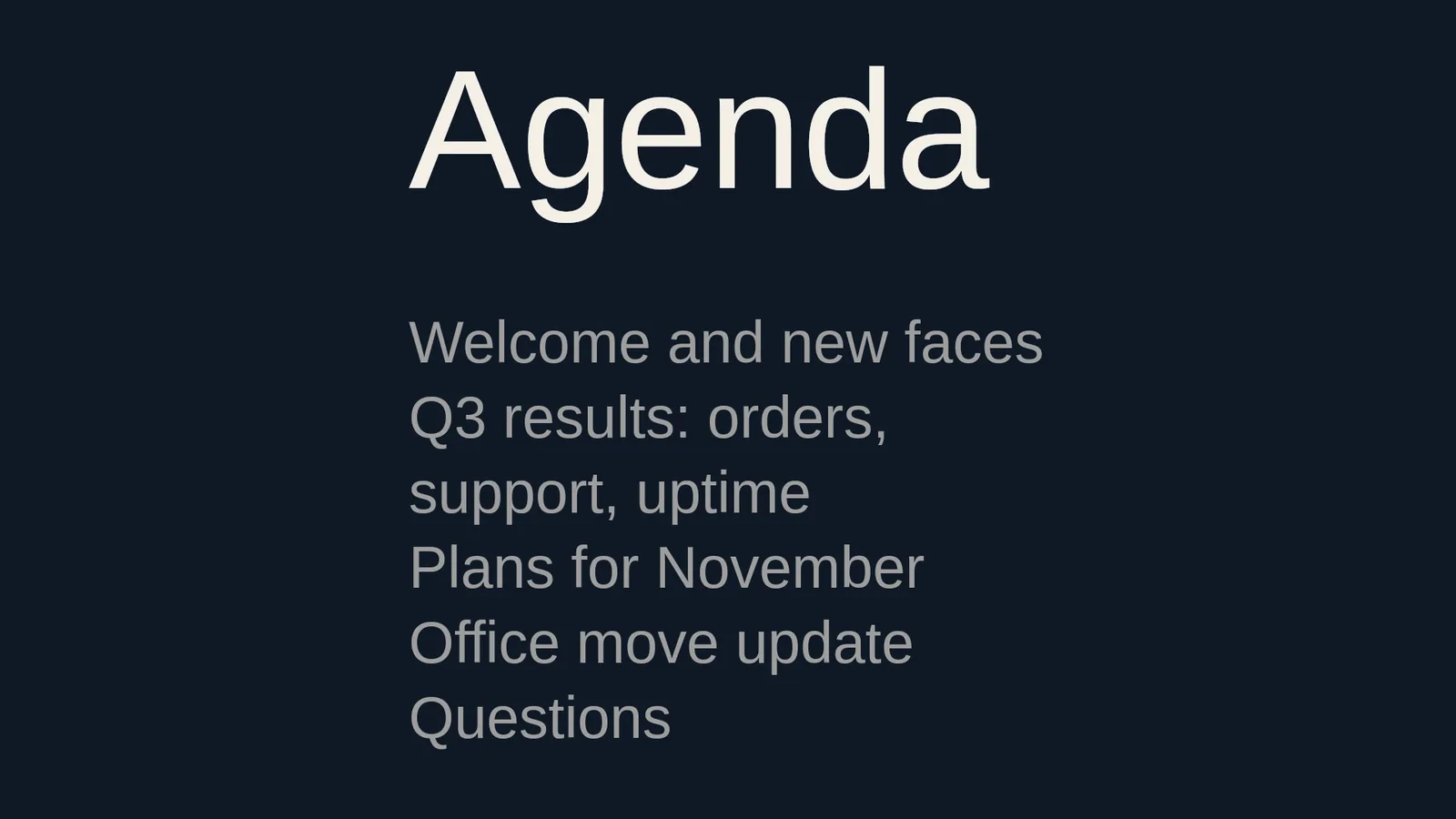
Your agent draws the new slide on its own computer, so it costs nothing.
Change one slide
- You
The numbers changed on slide three. Update the TV and show me that slide.
- Agent
Updated. Only slide three was sent again; the other three were already on the TV. Here is slide three on the screen: 1,297 orders today, 31 open tickets and 99.95 percent uptime.
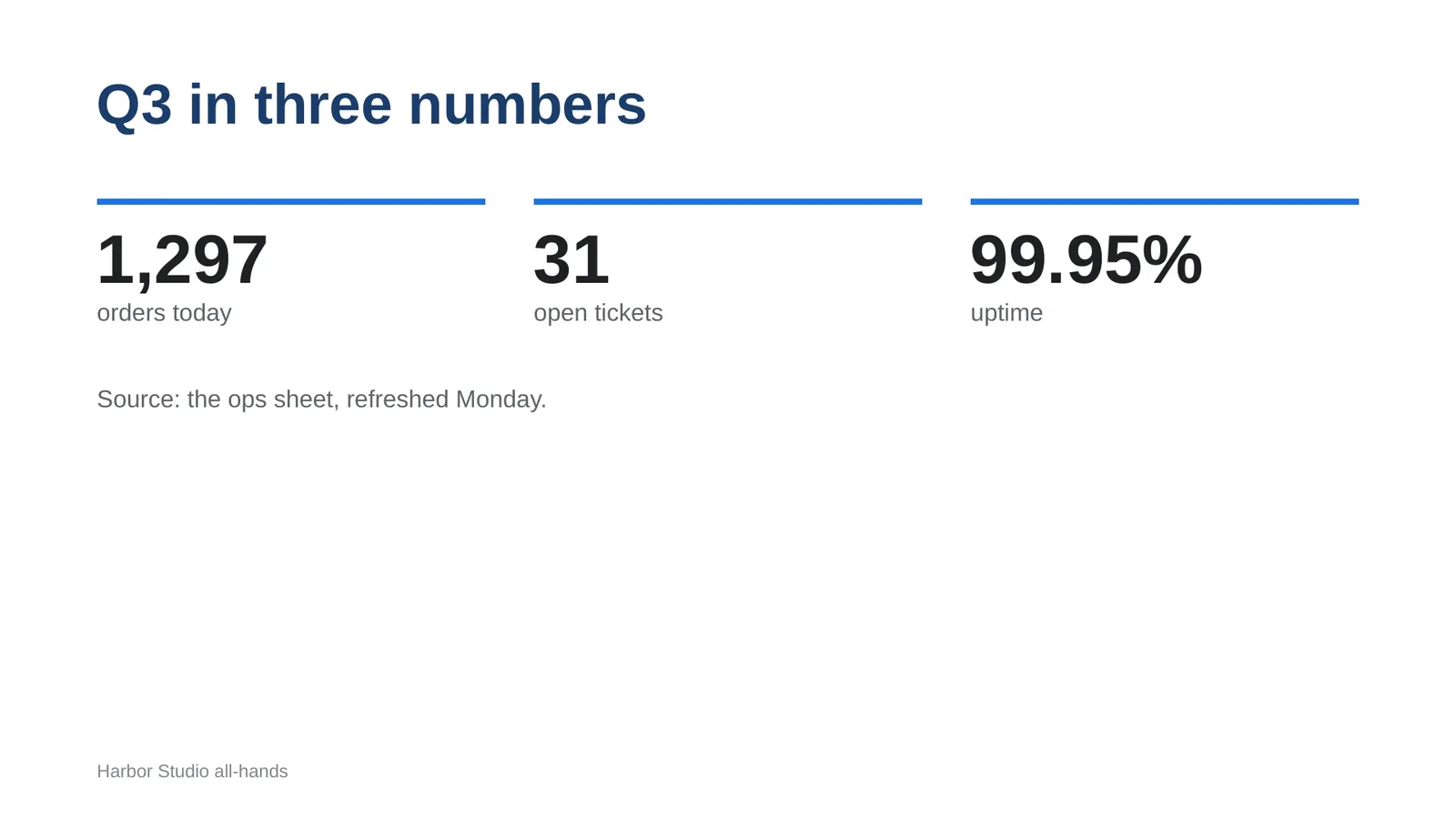
The update reaches every screen that plays the deck. To make it automatic, say: "Each morning, if the all-hands deck changed, export it and update the TV." The schedule belongs to your agent. The Sheets guide says who keeps it current.
What carries over from the deck
| In the deck | On the TV |
|---|---|
| Text, shapes and pictures | One picture per slide. A native Player keeps them and plays them with no internet. |
| Animations and transitions | They don't carry over. The TV fades between slides, or swipes, wipes, slides or dips if you ask. |
| A video inside a slide | It isn't in the export. Your agent uploads the clip and plays it as its own page. |
| Timing | Every slide gets the same time. Ask for a different time on one slide. |
| Music | Ask for background music that plays under the slides. |
| A deck that isn't 16:9 | It fits inside the screen with black bars. Set the deck to 16:9 in Google Slides and your agent exports again. |
Why not play Google's own slideshow?
Google can publish a deck as a slideshow for the web, and the TV can open it as a web page. It works, with trade-offs. A published deck opens for anyone with the link. Google's help says an update can take a few minutes and that you can't turn updates off. The TV needs the internet the whole time. Exported slides play from the TV's own copy, and your agent updates one slide at a time. screenRIG is free. Pay only if you want more.
Next: put live numbers beside the slides with Display a Google Sheet on a TV.
Related
screenRIG is free. Pay only if you want more.
Install the official plugin, pair a screen and your agent publishes to it.