Can a Raspberry Pi 5 play 4K digital signage?
Yes. The Pi 5 decodes HEVC (H.265) video in hardware, up to 4K. H.264 video is decoded in software and suits 1080p. Tell your agent which Pi the clip is for and it converts the video to match, as above. A Pi 4 plays 1080p, so for a Pi 4 your agent converts to 1080p instead. HEVC is for screens that run the Player app, not for every web browser.
Does a Raspberry Pi sign keep playing offline?
Yes. The Player downloads your content once and plays it from the Pi's own storage, so a dropped network does not stop it. With the dedicated-screen option, the Pi also starts straight back into the Player after a power cut.
Can a Raspberry Pi 5 drive a video wall?
Yes, two displays. One Pi 5 drives two displays as one wall from a single Player. The Linux page has the details, and an Intel mini PC drives up to three.
From a blank card to a code on the screen
- Write Raspberry Pi OS Lite (64-bit, the Trixie release) to the card and boot the Pi on your network. A 32-bit image or the older Bookworm release cannot run the Player, and the installer says so.
- Run the install line from the Downloads page with the dedicated-screen option. A Lite image has no desktop, so the page's package list shows what to add first.
- Restart the Pi. It boots to the Player, which shows a code for your agent.
On the desktop edition the session already has what the Player needs: install without the dedicated-screen option and start the Player from the menu.
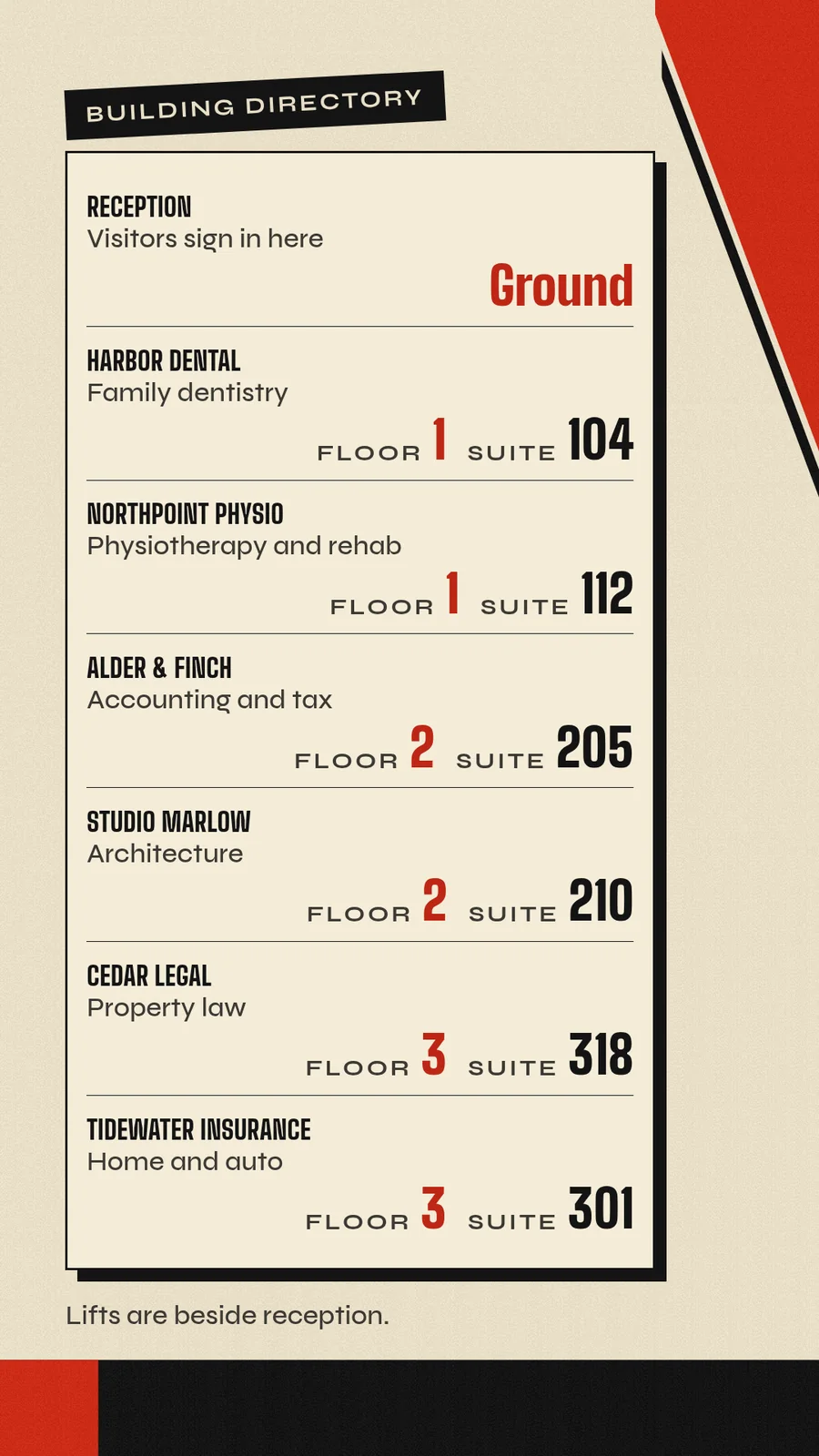
A tall screen: a building directory
A Pi can drive an upright screen too. The Player tells your agent how big the screen is, so the page is made to fit it.
- You
This screen is mounted upright. Build a directory: Reception on the ground floor, then Harbor Dental (floor 1, suite 104), Northpoint Physio (1, 112), Alder & Finch (2, 205), Studio Marlow (2, 210), Tidewater Insurance (3, 301) and Cedar Legal (3, 318). Add a note that the lifts are beside reception.
- Agent
Done. The screen reports an upright display, so I made the directory that shape. It lists all seven, sorted by floor, with the note about the lifts at the bottom.
Get your Pi going
Ready to try it? The Downloads page has the install line for your Pi.
Related
screenRIG is free. Pay only if you want more.
Install the official plugin, pair a screen and your agent publishes to it.