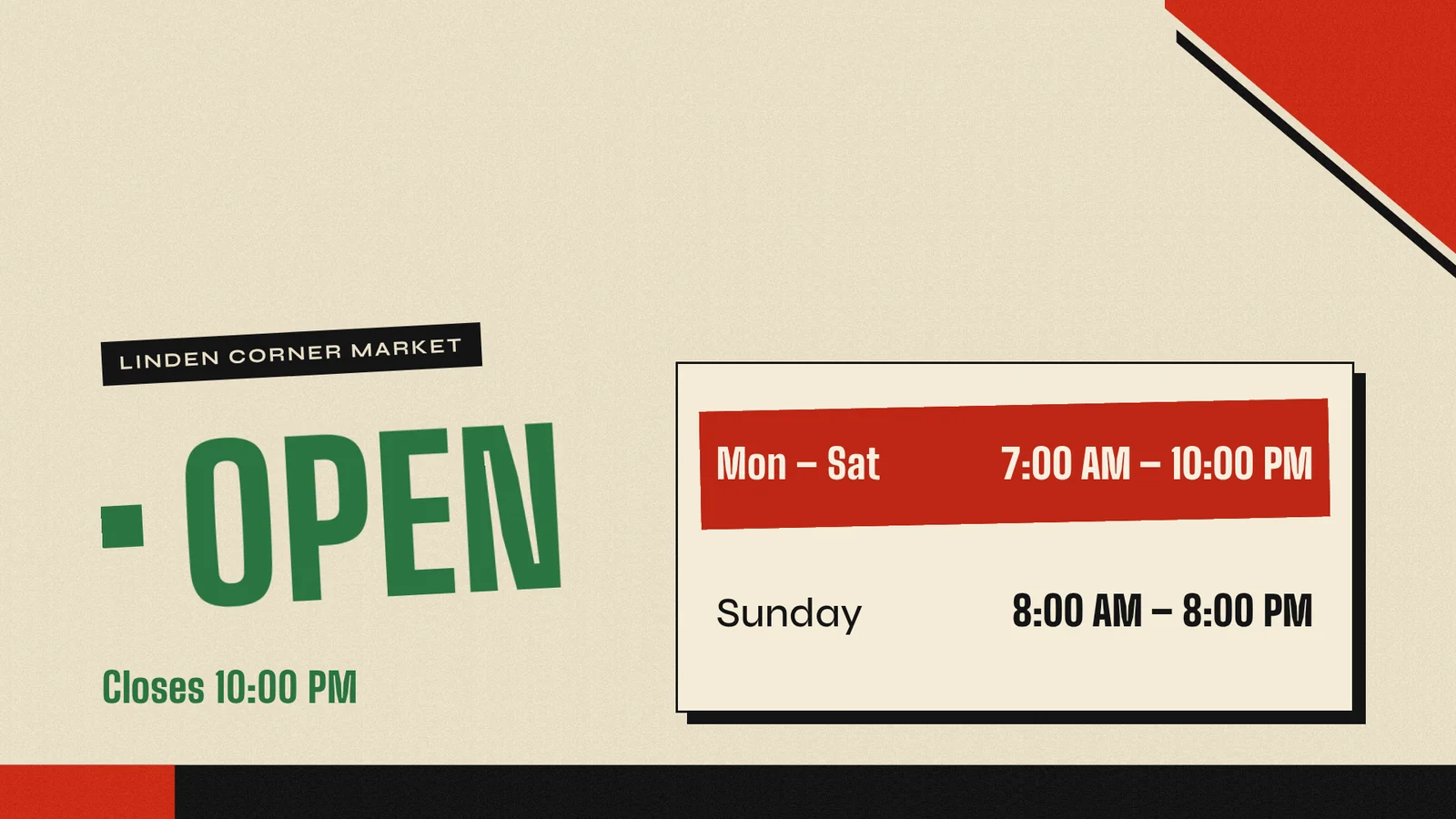
Live card previews
Menu board
A menu board that sets itself: sections, prices with hairline rules, dietary marks and sold-out items, flowing into as many columns as it needs.
Opening hours
Show open or closed at a glance, when that changes, and the week's hours with today marked and holiday exceptions.
Weather
Current conditions, the hours ahead and a multi-day forecast, led by the sentence that matters, like Rain from 3 PM.
Announcement
Rotating messages with an icon, a headline and a line or two of body text, in sync on every screen.
Now serving
Shows the ticket being served, its counter, the last few calls and the wait.
Number tiles
Big, distance-legible numbers: value, change against last period with a good or bad tone, a sparkline and progress toward a goal.
What do you get free?
Standard is free for everyone, businesses included, and it has no end date.
- Unlimited screens. Standard includes unlimited screens. A second TV costs what the first one did.
- No logo or watermark. Your screens show only your content.
- The Player apps. Install the Player on any device in the list below. Uploads, downloads and bandwidth are free.
- 200+ ready-made apps. Menus, offers, weather, queues, schedules and KPIs, in nine styles, many with live data. Apps shows them.
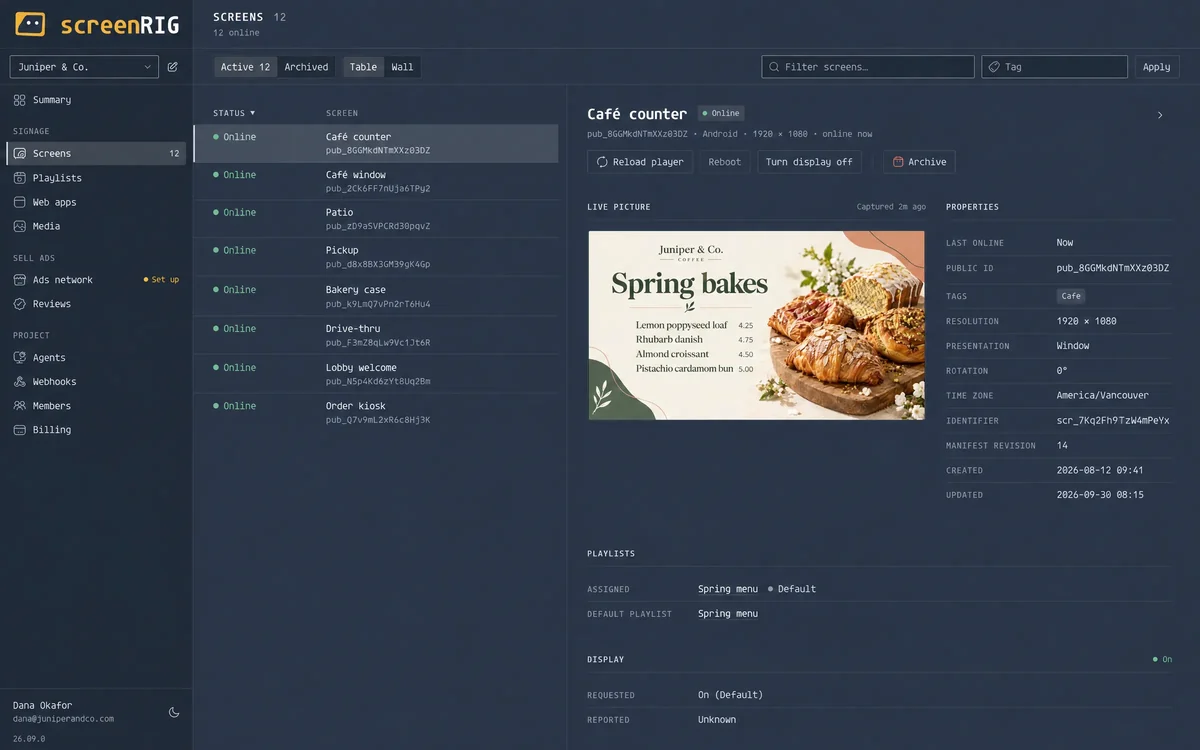
- Eyes on your screens. Live view, blank and frozen screen detection, and email and webhook alerts.
- An agent that does the work. Any agent that runs the official plugin builds the content, puts it on the screen and checks it.
- Room for a real library. 1 GB of storage free and 10,000 agent requests every month. The next section lists every limit.
What are the limits of free digital signage on screenRIG?
These are Standard's limits, and each one is on pricing:
- Storage is 1 GB, and a video is up to 500 MB. Plus and above raise the storage and allow videos up to 1 GB.
- What 1 GB holds. Pricing estimates a café's 20-slide menu at about 20 MB, a clinic lobby's 25 slides and 2-minute video at about 100 MB, and a 400-store chain's 30-slide promo loop at about 30 MB. Those estimates use about 1 MB for a full-screen image slide and 75 MB for a 2-minute HD video. Uploads beyond 1 GB need usage credit, and content already stored keeps playing.
- 10,000 agent requests a month. They do not roll over. Past them, requests are metered at the rates on pricing.
- Up to 5 people per project. Paid plans raise it.
- 3 days of event history. Premium keeps 7 days and Enterprise 90 days.
- 60 writes a minute to one card's data or one key.
- You work through an agent. The dashboard builds pages by hand too, but nothing here is an editor with templates.
- Support is documentation and AI support. A person answers when you ask on Premium and Enterprise.
- You supply the screen. The Player runs on devices you already have.
What do paid plans add?
Paid plans add business tools, more people, people to talk to, governance and contract terms. Each one includes everything in Standard.
| Plan | What it adds |
|---|---|
| Plus | Video walls, alert routing to Slack, Teams, PagerDuty and Telegram, reports with XLSX, PDF and scheduled email, Power BI, Tableau and Grafana dashboards, connected sources and media sync, playlist templates, uploaders and scheduled reboots. Up to 10 people per project and 100 GB of storage free. |
| Premium | Everything in Plus, with direct campaigns, the organization Library and AI-first chat support with a person when you ask. Up to 25 people per project and 1,000 GB of storage free. |
| Enterprise | Everything in Premium, with single sign-on, SCIM, the audit log and more, regular meetings and calls, onboarding support, an MSA, an SLA and a dedicated success manager. Unlimited people per project and 10,000 GB of storage free. |
Plan prices and usage rates are on pricing.
Which screens run free digital signage?
The Player is an app for the screen you already have, so you rarely need to buy a box.
| You have | Read this | The Player needs |
|---|---|---|
| A TV, stick or box with Google TV or Android TV | Android TV and Google TV | Android 9 or later, from Google Play |
| An Amazon Signage Stick or a Fire TV Stick | Amazon Signage Stick and Fire TV Stick | Fire OS 5 or later, from the Amazon Appstore |
| A Raspberry Pi 5 or 4 | Raspberry Pi, with 4K video on the Pi 5 | 64-bit Raspberry Pi OS based on trixie |
| A Linux PC or mini PC | Linux | 64-bit Linux with a Wayland session or the cage kiosk compositor |
| A Windows PC | Windows | Windows 10 (version 1809 or later) or Windows 11, from the Microsoft Store |
| An Apple TV | Apple TV | The App Store |
| A Mac, an iPhone or an iPad | The Downloads page | The App Store |
| A Samsung or LG signage display | Samsung Tizen and LG webOS | Tizen 6.0 or newer, or webOS 6.0 or newer |
| A BrightSign player | BrightSign | OS 9.1 or newer, from an SD card |
| Any screen with a modern browser | The web Player | Nothing to install |
The native Players download your content once and play it from the device's own storage, so video does not buffer and the screen keeps playing if the network drops.
How do you start?
- Install the plugin in your agent, once. Start has the step for Claude Code, ChatGPT Codex, Meta Muse, Gemini Spark, Grok Bot, ChatGPT dots, Hermes and Grok Build.
- Open the Player on the screen. It shows a pairing code. The Downloads page has the Player for each device.
- Read the code to your agent and say what to show. It pairs the screen, makes the page, publishes it and checks the screen.
A person can also build pages by hand in the dashboard. Every Player except Windows shows a QR code beside the pairing code: scan it with a phone signed in to the dashboard and confirm Pair screen. The agent is the faster way, and the one screenRIG is built around.
What can a free digital signage screen show?
The previews above are real ready-made apps, drawn in your browser with sample data. Your agent fills them with your numbers, or builds a page of its own. A screen can also show images, video, web pages and live streams. Digital menu boards and message boards show two of the most common jobs, and AI digital signage lists ten requests to try.
How does free digital signage compare in general?
We read 15 free offers on their own pages on 27 October 2026, and they differ on more than the screen count. These are the checks, with what we found.
| Check | What we found | On screenRIG |
|---|---|---|
| Screens | Most hosted free offers stopped between 1 and 10 screens | Unlimited |
| Branding | Three of the 15 print a logo or a watermark on free screens | None |
| The step after the cap | Two bill every screen once you pass the cap, and others bill only the screens past it | Standard includes unlimited screens |
| How long it lasts | Trial periods ran 14 days on four offers, 30 days on three and 3 months on one | No end date |
| Devices | One free offer runs only on its own devices, Windows, Linux and Raspberry Pi | The devices listed above |
| Who runs the server | Open-source software gives you the code and leaves hosting, security and upkeep to you, with a community forum for support and no commercial SLA | Hosted, so there is nothing to host |
| Who makes the content | A person at a keyboard for every change | Your agent makes it from a sentence: building the Open sign above and seeing it play took about five seconds |
| Storage and files | 500 MB to 1 GB of storage where stated, with files as small as 25 MB and playlists capped at 200 MB | 1 GB of storage and videos up to 500 MB, with more on paid plans |
Free digital signage software compared names each of the 15 and reads them row by row, each from its own page, with the first paid step for each.
Free digital signage questions
Is there free digital signage software with no watermark?
Yes. Standard includes unlimited screens, and your screens show only your content: no screenRIG watermark or logo. Selling advertising on a screen is your choice, screen by screen.
Is there a free digital signage app?
The Player is the app, and it runs on Android and Google TV, the Amazon Signage Stick and Fire TV Stick, Apple TV, Mac, iPhone and iPad, Windows, Linux and Raspberry Pi, Samsung and LG signage displays and BrightSign. Any modern browser opens the web Player. The Downloads page lists every one.
Is screenRIG really free?
screenRIG is free, with unlimited screens. Paid plans add business tools, more people, people to talk to, governance and contract terms. See pricing.
How do I turn a TV into digital signage for free?
Run the Player on the TV, or on a stick, Raspberry Pi or PC plugged into it. A TV with Google TV or Android TV built in installs the Player from Google Play, and any TV with a modern browser opens the web Player. Read the code on the screen to your agent, then ask for what you want to show.
How do I create digital signage for free without a designer?
Ask your agent. It designs each page for the screen's size and purpose, using the ready-made apps where one fits, and checks the result on the screen. In our recorded session, building the Open sign and seeing it play took about five seconds. Start connects your agent.
Does free digital signage work without internet?
The native Players download your content once and play it from the device's own storage, so a dropped network does not stop a playlist that has already downloaded. The first pairing and download need the network.
Is there free digital signage for restaurants, schools or churches?
Yes, and it is the same Standard. See digital menu boards, schools, churches and retail.
Can I host free digital signage on my own server?
screenRIG is hosted, so there is no server to run. If you want everything on your own server with no cloud account, free digital signage software compared covers the self-hosted options.
Related
More topics
screenRIG is free.
Install the official plugin, pair a screen and your agent publishes to it.