What the ticker looks like
The ticker app crawls headlines right to left in clear bands of large type, with a separator after each one, so they read from across a room. It sits where you ask:
- Along an edge of the screen, as a strip.
- Full screen, in the middle, or tucked into a corner as a small square or a single line.
- With a label and a live dot, such as Industry news, and only while it has headlines, so an empty ticker leaves the screen.
You set up to 50 headlines, each with its text, an optional source and the time it ran. Speed is slow, normal or fast, and a percentage between 10 and 200 tunes it. A header or footer bar can carry a message too: it sits still, crawls when it is long or turns through up to eight pages, with a clock, the weather, a countdown or your logo in its two ends.
Put a ticker along the bottom of a screen
A ticker along an edge is a strip: a playlist drawn over the page along the top, the bottom or the right edge of a display, while the page keeps playing underneath. Your agent makes the strip once and says which screens carry it, by tag or folder, so one request puts a ticker on every screen in a building. A strip covers at most half of a display, and it holds images and apps, not video. The Player guide has the details.
- You
Move the ticker to the top of the café screens only, and add the date on the right.
- Agent
Done. The café screens now carry the ticker along the top with the date at the right end, and the other screens still have it at the bottom. I checked a screenshot of one café screen.
Headlines from an RSS feed
Two ways to turn a feed into headlines on a screen:
- A reader. The RSS reader app takes the address of an RSS or Atom feed and shows the open story large, with its summary and how long ago it ran, and the feed's contents beside it. You choose how many of the newest stories it cycles through, how long each stays open and how old a story may be.
- A ticker or a front page. Your agent reads the feed, or a data source reads it on a schedule, and sets the headlines on a ticker or a news front page, which can be a front page with a lead story, a list, a hero or one story at a time.
A feed is third-party text: you confirm that you may show it. A data source reads an RSS or Atom feed's items, with their titles, links, dates and summaries, and fills the app when something changed. See data sources for how often it runs.
Market and rate tickers
Stocks, currency exchange and crypto show prices with the day's change and a small chart. Your agent supplies the quotes, and exchange rates and crypto prices are among the public data screenRIG fetches and caches for you with no account. Each shows the credit its source asks for.
Social walls
A social wall is a screen of posts, shown a few at a time. Pick the kind that suits the room:
| Wall | What it shows | Where the posts come from |
|---|---|---|
| Social wall | One featured post with its photo, author and network, and the next posts waiting beside it | Your own Facebook Page or Instagram business account through a data source, or posts your agent supplies |
| Message wall | Moderated audience messages one at a time, with a QR code for posting | Messages you have approved, or a Slack channel through a data source. Posting and moderation happen elsewhere |
| Photo wall | A shared photo collection as a mosaic, a polaroid stack or captioned slides | Photos you give your agent |
| Follow us | Your social handles, with an optional QR code to follow in one scan | Handles you supply |
| Reviews | Your overall rating and selected reviews | Your Google reviews through a data source |
| Workplace posts | A company channel: one post at a time beside the latest | A Slack channel through a data source |
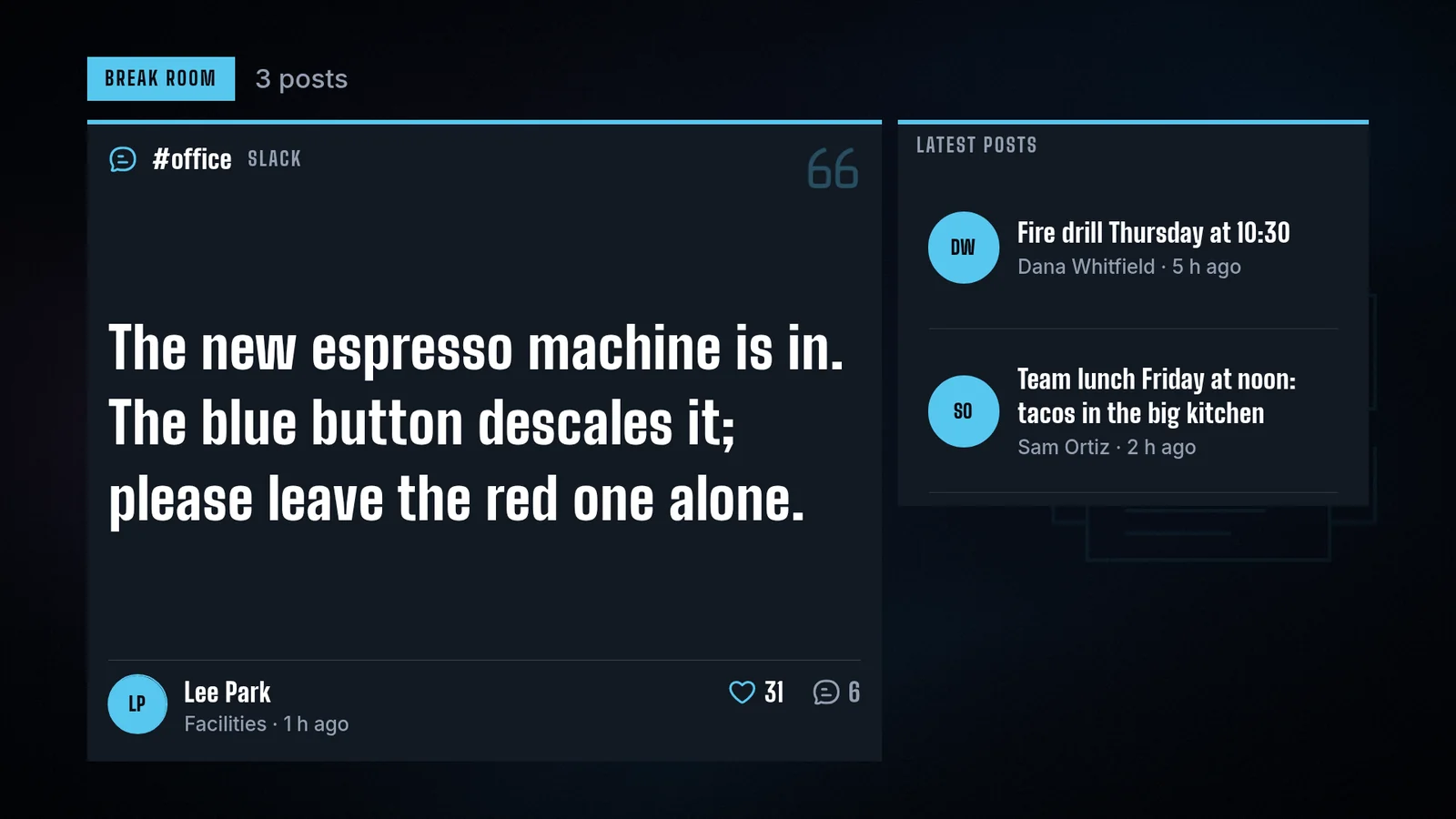
A Facebook Page or Instagram business account is read with an access token you create for your own account, under that service's terms, and the wall shows the credit those terms ask. A post needs text or a picture, and a wall holds up to 50 posts, newest first.
Keep the wall and the ticker current
A data source reads its address on a schedule you choose and writes only what changed, so a screen is not woken for a repeat. If a source stops answering, the screen keeps the last good data for the period you set, from a minute to a week, and then clears it on every screen, offline ones included. A ticker set to show only while it has headlines leaves the screen then, and you can be told by email or in Slack when a refresh fails.
Digital signage news and social media questions
How do I put a news ticker on a screen?
Ask your AI agent. It sets the headlines on the ticker app, picks the screens and checks a screenshot. A ticker along an edge keeps the page above it playing.
Can I use an RSS feed in a ticker?
Yes. Your agent, or a data source on a schedule, reads the feed's items and sets them as the ticker's headlines. An RSS reader app shows a feed's stories large, with their summaries.
Can a ticker run along the bottom of a screen?
Yes. Along the bottom, the top or the right edge, as a strip over the page. It covers at most half of the display.
Can I show Instagram or Facebook posts on a screen?
Yes. A data source reads your own Facebook Page or Instagram business account with a token you create, and the social wall shows the posts with their photos, authors and networks. Your agent can also supply posts directly.
Can visitors send messages to the screen?
A message wall shows messages you have approved, with a QR code that opens the page where people post. Posting and moderation happen on that page, and nothing is typed on the screen.
Does it cost anything?
screenRIG is free, with unlimited screens. Paid plans add business tools, more people, people to talk to, governance and contract terms. See pricing.
Next: see every app your agent can put on a screen in the apps gallery.
Related
More topics
screenRIG is free.
Install the official plugin, pair a screen and your agent publishes to it.