Live card previews
Announcement
Rotating messages with an icon, a headline and a line or two of body text, in sync on every screen.
Workplace posts
Company channels on screen: one post at a time with its picture or attachment, author, channel and source, reactions and replies, beside the latest posts, rotating on the wall clock. Slack, Teams, Viva Engage and the intranet read the same way.
Celebrations
Today's birthdays and work anniversaries front and centre, with who is coming up this week.
Leaderboard
A ranked board with a podium for the top three, scores, rank movement and the gap to the leader.
Win alert
A deal-closed celebration that takes over the screen: the closer's picture and name, the deal and a huge amount over confetti, then settles into the latest win, today's tally against the target and the wins before it.
Welcome board
A lobby welcome: a time-of-day greeting and today's named visitors with their companies, set with a spotlight that moves down the list.
What goes on which office screen
A screen earns its place by being somewhere people stop or pass. These are the usual places and the ready-made apps that suit them.
| Place | What people want | Ready-made app |
|---|---|---|
| Reception and lobby | A welcome, who is expected, the Wi-Fi code | Welcome board, Wi-Fi, Directory |
| Hallways and lifts | Company news, dates that matter | Announcement, Events |
| Meeting rooms | Is this room free, and until when | Meeting room, Room board |
| The sales floor | Where the team stands against target | Leaderboard, Win alert, Scorecard |
| Open plan and break room | Recognition, channel posts, a reason to look up | Celebrations, Workplace posts, Kudos |
| IT corner | Is the network up, did the build pass | Network status, Build board |
Your own photos, videos, slides and web pages play on the same screens. Apps lists every ready-made app.
Corporate communications and internal news
Internal communications fail when the screen shows last month's news. So every announcement in the Announcement app carries its own end time, and it leaves the rotation when that moment passes. Your agent writes the item once, says when it ends, and nobody has to remember to take it down.
- Company news and HR updates. Leadership notes, policy changes and key dates, a headline and a line or two that read across the room.
- Recognition. Celebrations shows today's birthdays and work anniversaries, by first name, with the next few days beside them. Kudos shows one recognition at a time, and a Bonusly preset can feed it.
- Channel posts. Workplace posts shows posts with their author and channel, and a Slack preset can read a channel straight onto it. Your agent can write posts from other channels or an intranet.
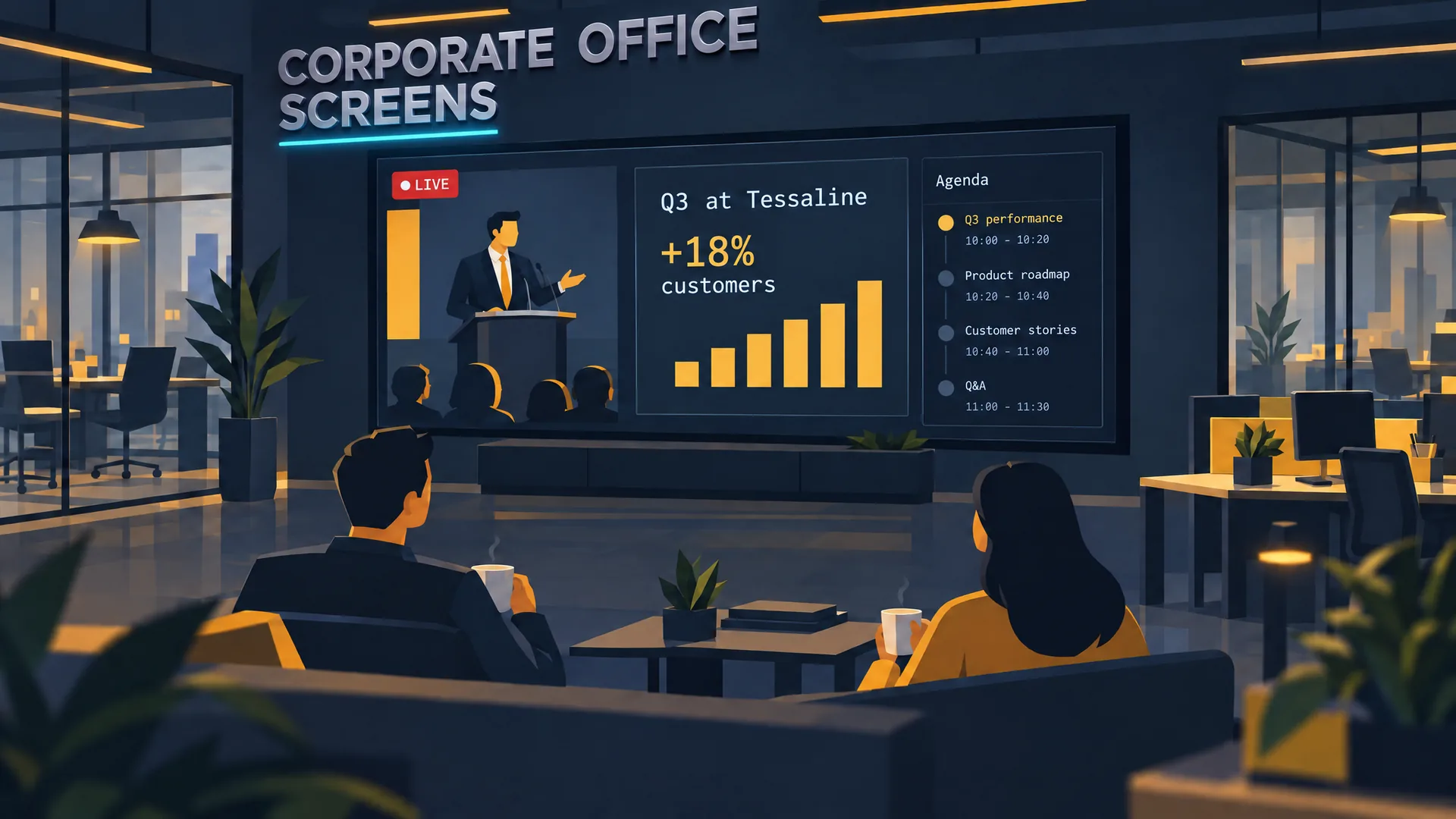
- The live all-hands. A live HLS feed plays on the floor screens with the agenda beside it, and a fallback image shows if the feed drops. Watch the film for the whole run.
- Screens that sleep. A display schedule puts screens to sleep at night and wakes them in the morning, even when they are offline.
The message board page covers bulletin boards, tickers and social walls in more depth.
A digital sales board
A digital sales board shows a sales team where it stands, in a form the whole floor reads at once. Pick the app that fits the number.
| You want to show | App | What it draws |
|---|---|---|
| Who is ahead | Leaderboard | A ranked board with a podium for the top three, scores, rank movement and the gap to the leader |
| A deal just closed | Win alert | A deal-closed celebration that takes over the screen, then settles into the latest win, today's tally against the target and the wins before it |
| Targets and misses | Scorecard | Actuals against targets with signed variance, status and recent history |
| The big numbers | Number tiles | Large figures with change against last period, a sparkline and progress toward a goal |
The numbers come from wherever you already keep them. A Google Sheet shared by link, a CSV file or a JSON address is read every 5 minutes, or every minute at the shortest. Any system that can send an HTTP POST can post the figures to a card's webhook address, and your agent can also write them itself. If a number stops updating, the screen drops it instead of showing an old one: how to show a dashboard on a TV walks through it.
Show a board with names where the people it names can see it. The apps show what you supply and nothing more.
Break room screens
A break room screen is read by people with a minute to spare, so it can carry more than the hallway screen does. A good loop is short and mixed.
- Today: the date, the weather and the time in the offices you work with, from Weather and World clock.
- People: birthdays and anniversaries, kudos and a staff spotlight, from Celebrations, Kudos and Staff spotlight.
- News and dates: announcements and the next company events.
- A reason to move: a Stretch break guides a short stretch with a shared countdown, and Breathe guides a breathing break.
- Useful: the Wi-Fi code as a scannable sign, and a QR code to the people team's page.
Meeting rooms and the lobby
A door sign for each room and a room board for the lobby read the calendars you already have. Meeting room digital signage covers Microsoft 365, Google Workspace and ICS calendars, private meetings and what happens when the calendar goes quiet.
At reception, the Welcome board greets visitors by time of day and lists today's named visitors with their company, a note and the time. Supply only the names that reception is happy to show on a public screen. Wayfinding adds the directory and arrows to the right floor.
Safety notices and fire drills
A fire drill reaches exactly the floor it is for. Tag the screens by floor, and a notice goes to every screen with the tag. When it ends, each screen returns to what it was playing. Emergency alerts covers notices your agent starts, alerts from your emergency notification system and a bar that a building sensor can raise.
Many floors, many offices
Give each screen tags, such as Floor3 or London. One request then reloads, reassigns or takes over every screen with a tag, and your agent asks for a screenshot from each to see the result. If you want a second pair of eyes first, turn on review, and each change waits for your approval before it plays.
Corporate signage questions
What is corporate digital signage?
It is screens in a company's own buildings that show internal information: news, schedules, KPIs, recognition, room status and safety notices. It differs from retail signage because the audience is employees and visitors, and the content is the company's own.
Can HR and communications update screens without IT?
Yes. The person who owns the content asks their agent, and the agent changes the screens and checks a screenshot. Review can hold each change for an approver.
Does it work with Microsoft 365, Google and Slack?
Room calendars in Microsoft 365 and Google Workspace, and calendars with an ICS address, can fill room signs and agendas. A Slack preset reads a channel onto the Workplace posts app, and a Google Sheet or a JSON address feeds a board. Data sources lists them.
How many screens can one office have?
As many as you hang. No plan counts or prices screens, and pricing lists what each plan includes.
Try it on one floor
Start, pair the reception screen and ask your agent for a visitor welcome and the Wi-Fi code. Add the news loop when the first screen looks right.
Watch: Corporate offices
Office digital signage examples on film: the all-hands live on every floor, screens that sleep at night and a fire-drill alert for one floor.
Film / Corporate offices
2:12
Related
More use cases
screenRIG is free.
Install the official plugin, pair a screen and your agent publishes to it.