In use, then Available
The door sign is a ready-made app that your agent fills from the room's calendar. It reads the calendar through its own connection, so screenRIG never connects to your calendar. Cedar Room is a made-up room, so its meetings are demo content, but the run is real: 26 October 2026, on screenRIG's test environment, in a time zone where it was late morning. The pictures are drawn by the Player (the screenRIG app on the screen) in a browser window.
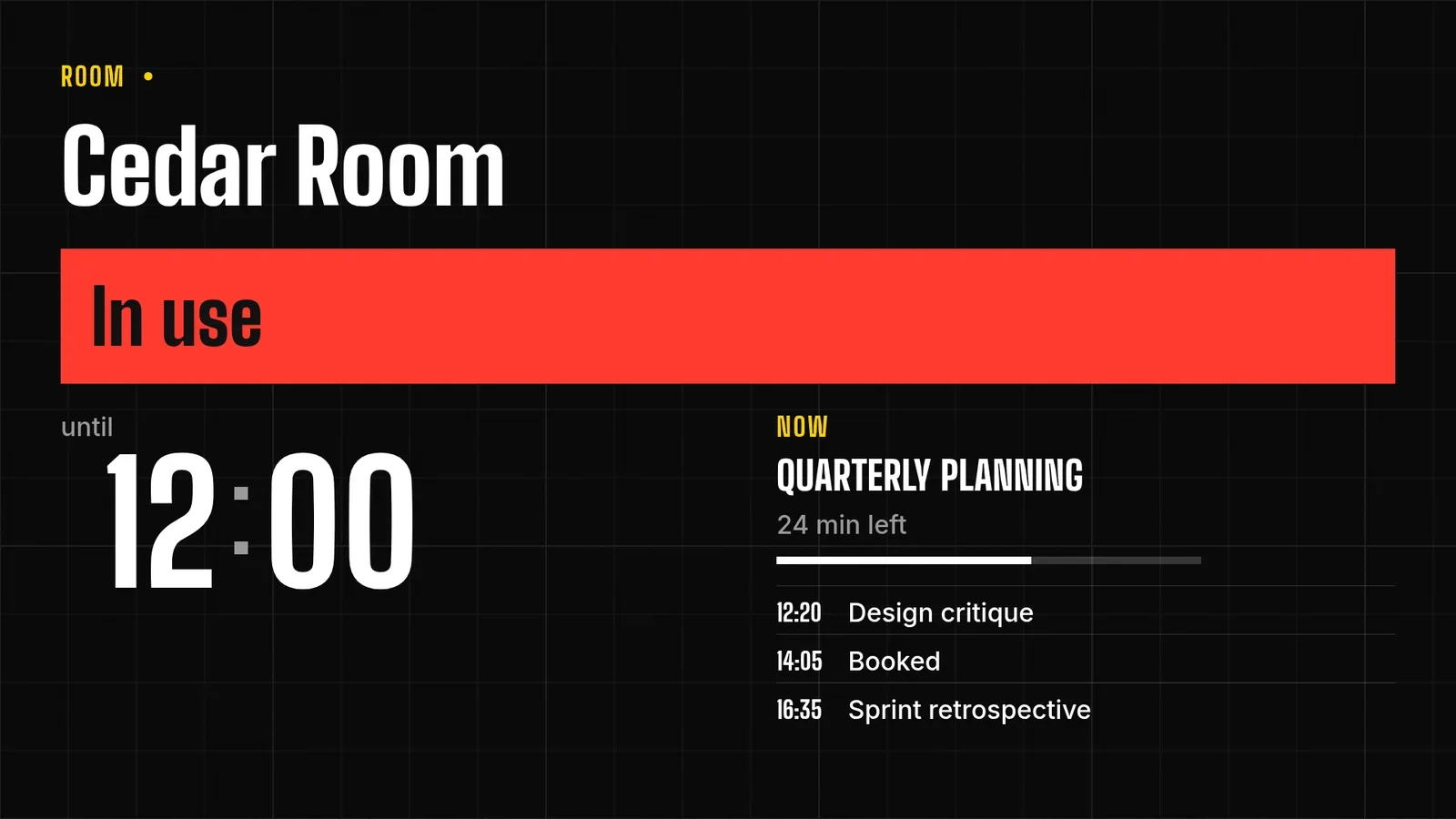
Then the organizer cancels the planning meeting.
- You
The planning meeting was cancelled.
- Agent
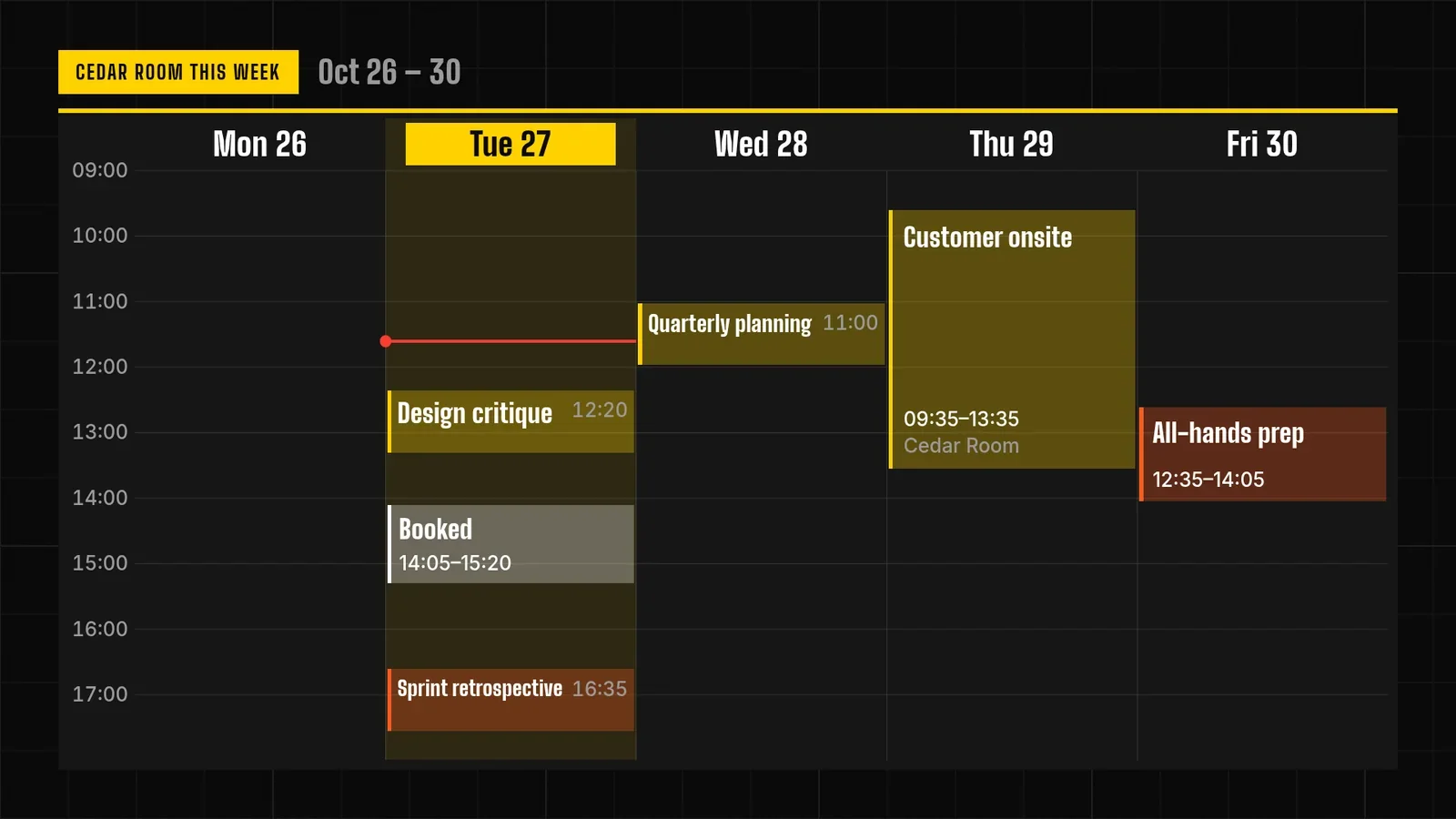
Done. The sign says Available now, free until 12:20, with Design critique next in 44 minutes. The week page, the second page on the same screen, no longer shows the planning meeting either.
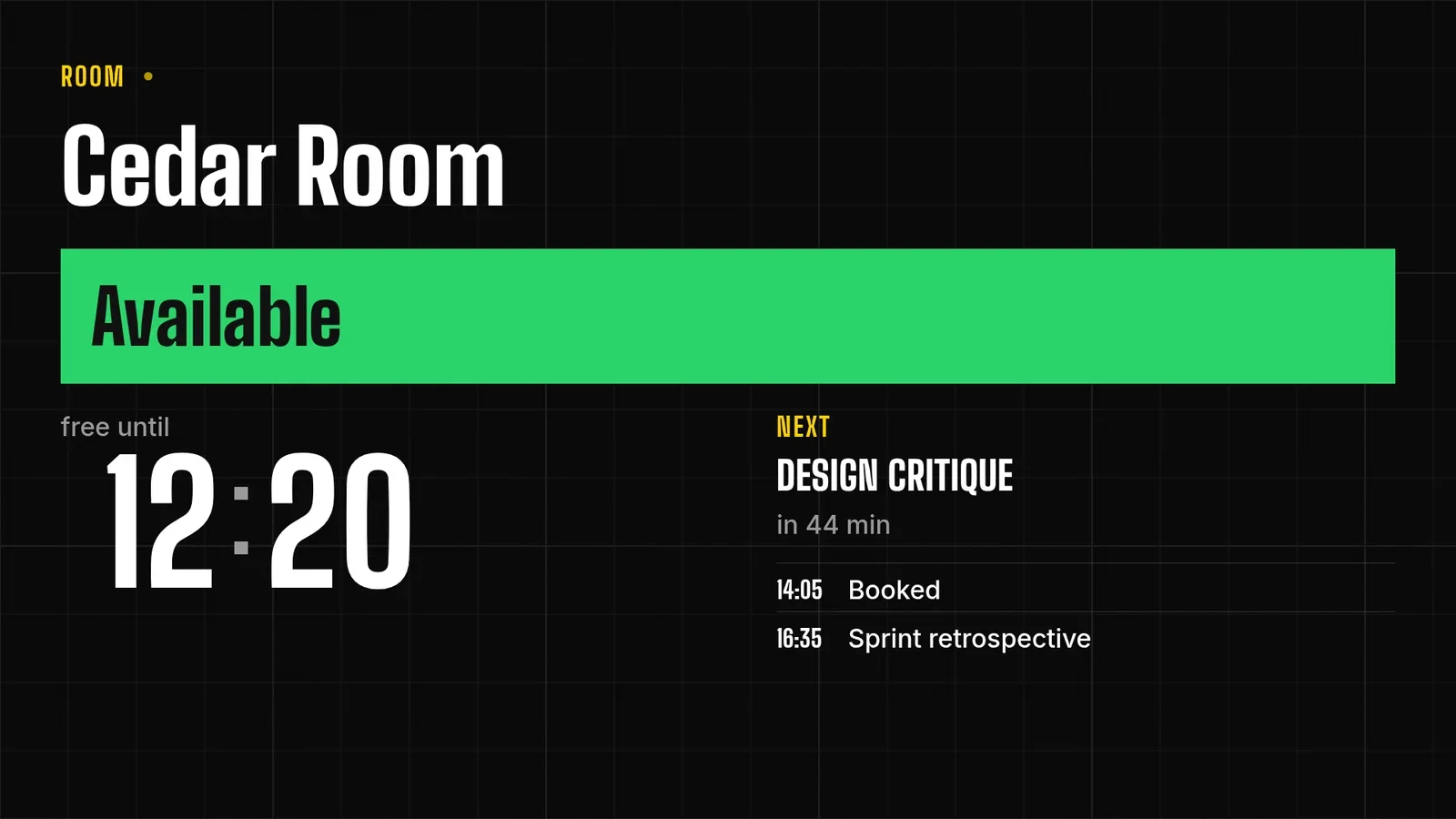
Private meetings show as Booked
Your agent decides what leaves the calendar. A meeting's title goes on the sign only when it is marked public, and every other meeting is written as "Booked". The sign shows whatever it is given, so the rule lives in your request and in your agent. You can change it with one sentence.
Who owns what
| Thing | Owner |
|---|---|
| Reservations, cancellations, who may book | Your booking and calendar system |
| Reading the calendar, and which details may leave it | Your agent, with the access you approved |
| The look of the sign and what it shows | A ready-made Events app, filled in by your agent |
| What is on the screen | The Player, which reports back when it has applied a change |
A sign built this way cannot book a room. It shows the state of a calendar that someone else owns.
The week as a second page
The second page is a Week schedule: days across, hours down, today highlighted with a marker at the current time. The cancelled meeting is gone here too, so both pages agree.
If your agent stops, the sign goes blank
An old Available is worse than no sign: someone walks in on a meeting. So the sign is built to go dark rather than show a stale answer.
- You
Refresh the sign every five minutes while you are running. If you stop for twenty minutes, blank it instead of showing an old status.
- Agent
Everything I write to the sign expires after twenty minutes, so if I stop, it goes blank by itself. I also tested it with a 45-second expiry and watched the screen. About 13 seconds after the expiry the old status was still up, and by about 45 seconds after it the sign was gone and the page was black.
A black door sign is a visible fault, and your agent's next update clears it. A stale Available would have looked fine and been wrong.
Meeting room questions
Does it connect to my calendar?
No. Your agent reads the calendar through its own connection and puts the meetings on the sign. Tell it which meetings and details it may read.
How many rooms can one agent run?
Each room is a screen with its own sign. Tag the screens by floor, and one request can reload or reassign all of them at once.
Try it on one door
Start free, pair the screen outside your room and ask for your own door sign. Tell your agent which meetings it may show.
Related
screenRIG is free. Pay only if you want more.
Install the official plugin, pair a screen and your agent publishes to it.