The hallway board, as it happened
This is a real session on a test screen, run on 27 October 2026. The school, the notices and the menu are made up, and they were sample text. With your own agent they come from your email, documents or spreadsheets, wherever your office keeps them.
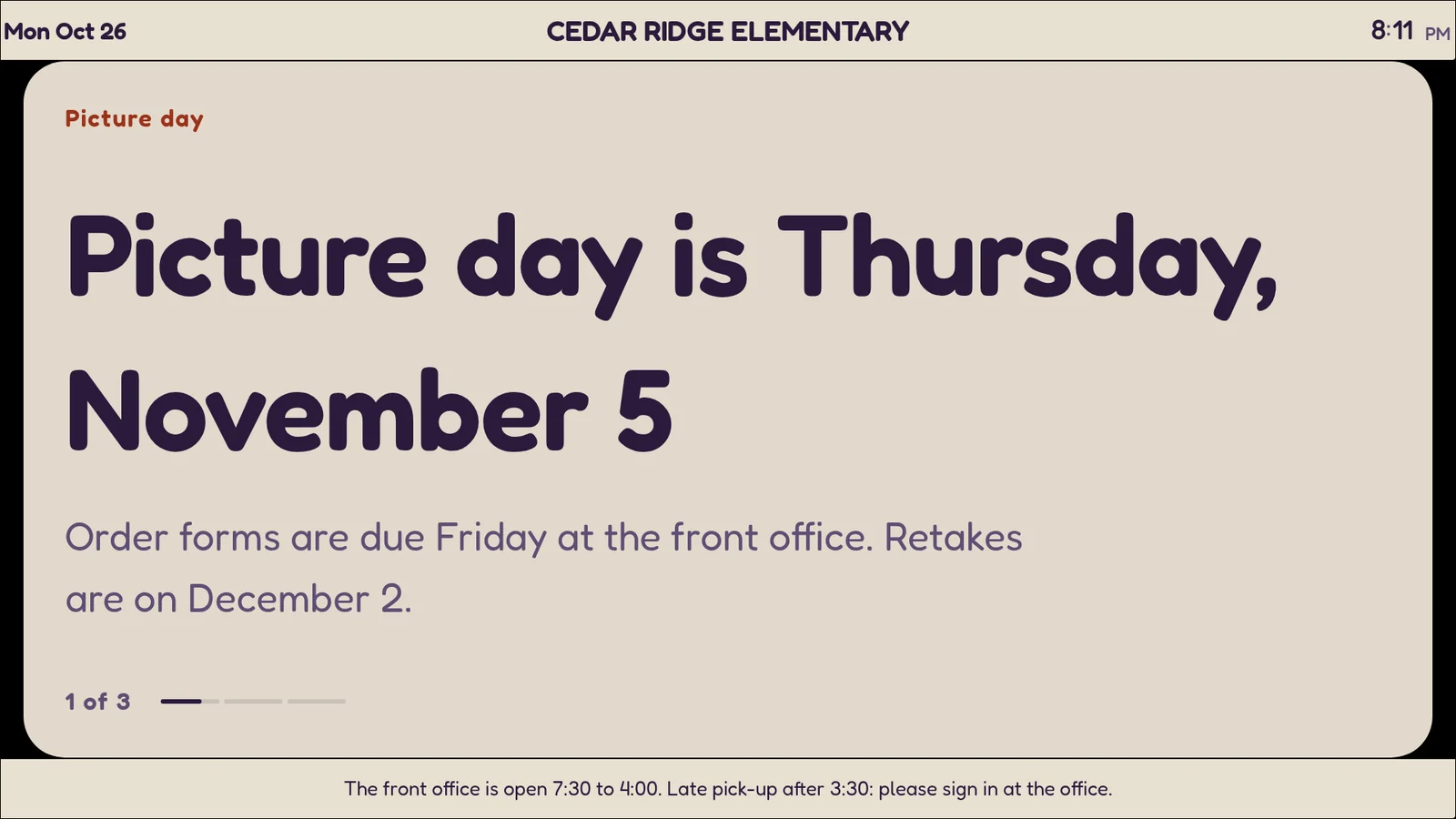
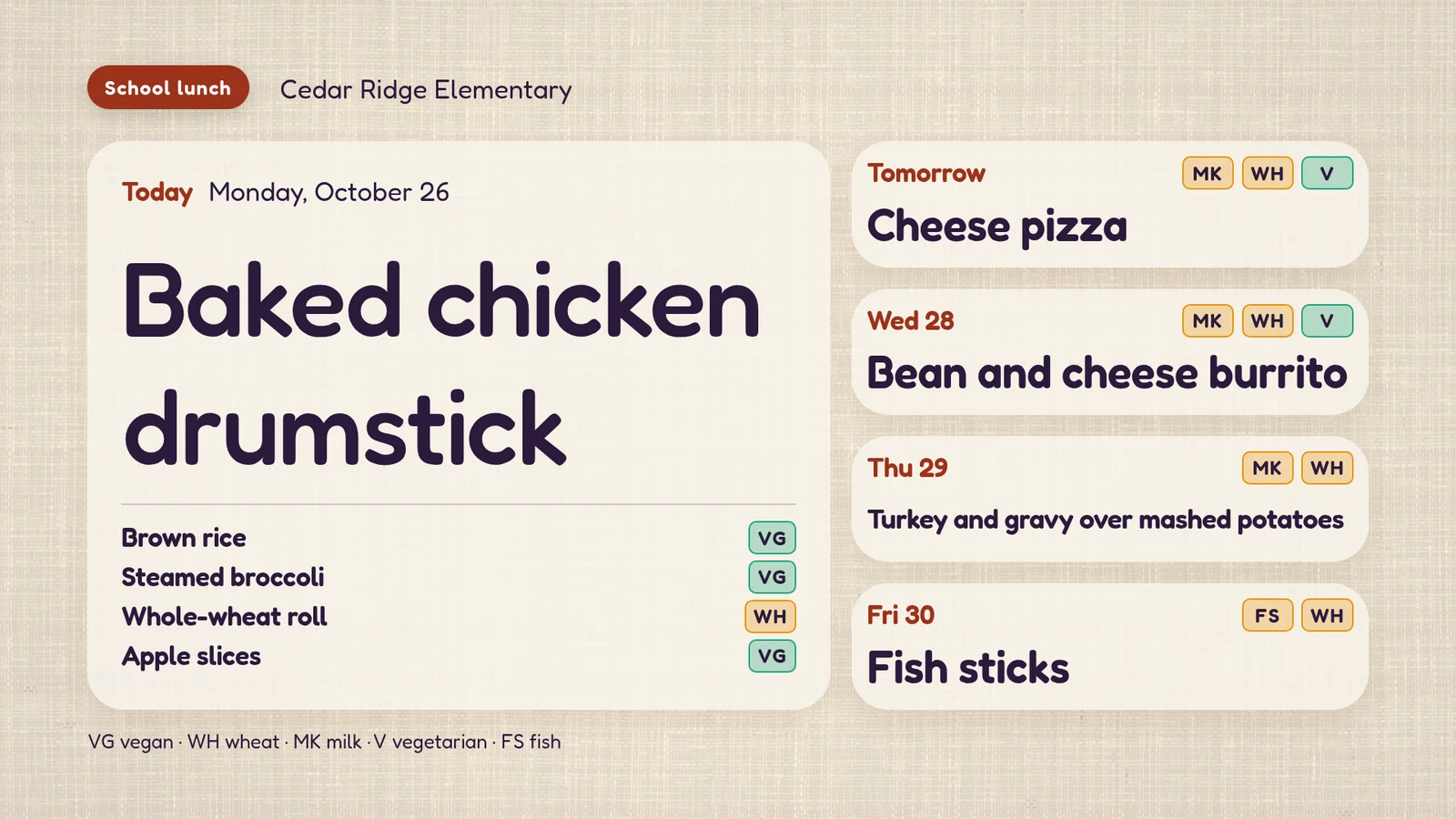
Rise Vision's templates gallery lists a Daily Calendar and Announcements template, a Class Schedule, a Lunch Menu list and a School Safety template. Staff pick a template and fill it in. On screenRIG your agent rewrites the notices and the menu whenever you send a change, or each morning if it runs routines, and the screen redraws in place without anyone opening an editor.
A drill, from chat
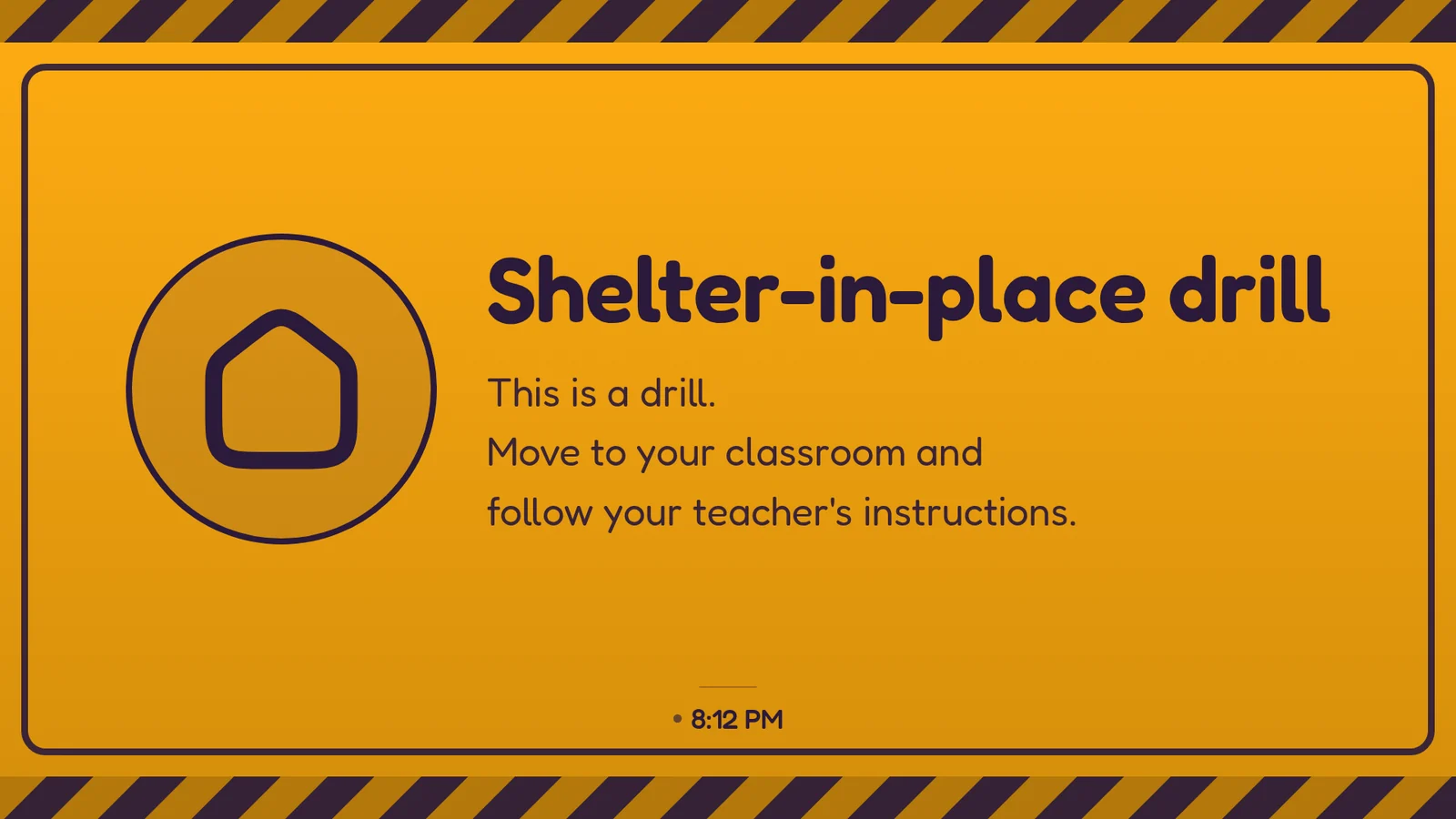
A drill is a takeover: your agent puts a notice on any screens by hand, it plays ahead of the usual schedule, and it ends by itself.
- You
Run a shelter-in-place drill on the hallway screen for two minutes, say why, and put it back when it ends.
- Agent
Done. The hallway screen shows an amber "Shelter-in-place drill" notice: "This is a drill. Move to your classroom and follow your teacher's instructions." It plays ahead of the usual announcements for two minutes, with the reason attached, and then the screen goes back by itself.
- You
The drill is over. End it now.
- Agent
Ended. The hallway screen is back on the morning announcements, and I checked what it plays. The reason stays in the log.
For a real alert feed from Everbridge, Rave, Alertus or an IPAWS relay, your agent sets up the connection, gives you the details for your alert system and runs a 60-second test on the real screens. See alerts in Features.
What does Rise Vision list for schools?
| Topic | screenRIG | Rise Vision, K-12 tab |
|---|---|---|
| Who updates the board | Your agent, from a message, without anyone opening an editor | Staff pick a template and fill it in |
| Price | Free. Standard includes up to 50 screens, on devices you already own | Basic $11 per display per month. Advanced $138 and Enterprise $164 per display per year, or $1,399 a year for a whole school |
| Emergency alerts | CAP alerts and takeovers on every plan | CAP alerts from Advanced. Classroom alerts on Enterprise |
| Approval before content plays | Optional review of agent changes, on every plan | A content approval workflow on Enterprise |
These are the K-12 tab's list prices from Rise Vision's pricing page, in US dollars before tax and hardware. Its other tabs show their own prices, and discounts begin at 11 displays. At $164 a display, the $1,399 school licence is cheaper from nine displays. Rise Vision also lists SOC 2 Type 2, a one-business-hour support response and a 30-day money-back period.
How we checked. Rise Vision's prices and features come from the pages under Sources, read on 27 Oct 2026. Rise Vision is a trademark of its owner, and screenRIG is not affiliated with it. If a figure has moved, tell us.
Moving over from Rise Vision
Ask your agent to set up each hallway screen:
- You
Move our hallway screens here from Rise Vision. Here is the list of our displays, the original files and a screenshot of each presentation.
- Agent
Thanks. I'll set up each screen from your list, rebuild the announcements and lunch board from your screenshots, and send you a screenshot of every screen to compare.
- Ask for your display list. Rise Vision can email you a list of your displays (help article). The help pages describe copying a schedule to another Rise Vision company (copy article) but no bulk export of presentations, so bring the original files too.
- Keep your players. Amazon Signage Sticks, Raspberry Pi and Windows players run the screenRIG Player app: see Downloads. Rise Vision's own Media Player is its hardware, so check a unit against the Downloads list first. Keep Rise Vision on a screen until a screenshot of its replacement matches.
Questions
Is Rise Vision free, and what does it cost?
Rise Vision's pricing page lists Basic from $11 per display per month on its K-12 tab, and its schools page a 30-day money-back period (checked 27 Oct 2026). screenRIG is free. Pay only if you want more. Standard includes up to 50 screens, the first 1 GB of storage and 10,000 agent requests a month, with more metered.
Does screenRIG support emergency alerts like Rise Vision?
Yes. CAP alerts from Everbridge, Rave, Alertus or an IPAWS relay take over the targeted screens with a full-screen warning on every plan, and a takeover by hand does the same for a drill. Rise Vision supports CAP from its Advanced plan (help article), and its Classroom Alerts, on Enterprise, can also wake a TV and switch it to the right HDMI input (help article). See alerts in Features.
Can I keep my Amazon Signage Stick, Raspberry Pi or Windows players?
Yes. They run the screenRIG Player: the Amazon Appstore for the Amazon Signage Stick, the Linux package for a Raspberry Pi 4 or 5 on 64-bit Raspberry Pi OS, and the Microsoft Store for Windows. See Downloads.
Can a person approve content before it plays?
Yes. Rise Vision's content approval workflow, on Enterprise, lets publishers review what editors create before it goes out (help article). On screenRIG, turn on Require review for agent changes on the dashboard's Project page, or sign your agent in with Propose access, and a change waits in Reviews until someone approves it, with the live and proposed playlists side by side. Review is on every plan, so a principal can approve the announcements from the dashboard. See the agent guide.
See the school day in full
Digital signage for schools shows the bell schedule, announcements and a drill you can start and end from chat.
Sources
- www.risevision.com/pricing
- www.risevision.com/solutions/schools
- www.risevision.com/templates-gallery
- help.risevision.com/hc/en-us/articles/115005291946-Integrate-Your-CAP-Provider-to-Show-Emergency-and-Audio-Alerts
- help.risevision.com/hc/en-us/articles/42024761935508-Enable-Classroom-Alerts
- help.risevision.com/hc/en-us/articles/41506732615828-Content-Publishing-Approval
- help.risevision.com/hc/en-us/articles/42191456293012-Export-a-List-of-Displays
- help.risevision.com/hc/en-us/articles/39450610538004-Copy-a-Schedule-or-Presentation-to-another-Company
- screenrig.ai/pricing
- screenrig.ai/features
- screenrig.ai/docs/agents
- screenrig.ai/downloads
Related
screenRIG is free. Pay only if you want more.
Install the official plugin, pair a screen and your agent publishes to it.