Store hours and rewards, from one message
This is a real session on a test screen, run on 28 October 2026. The store, its hours and its rewards are made up.
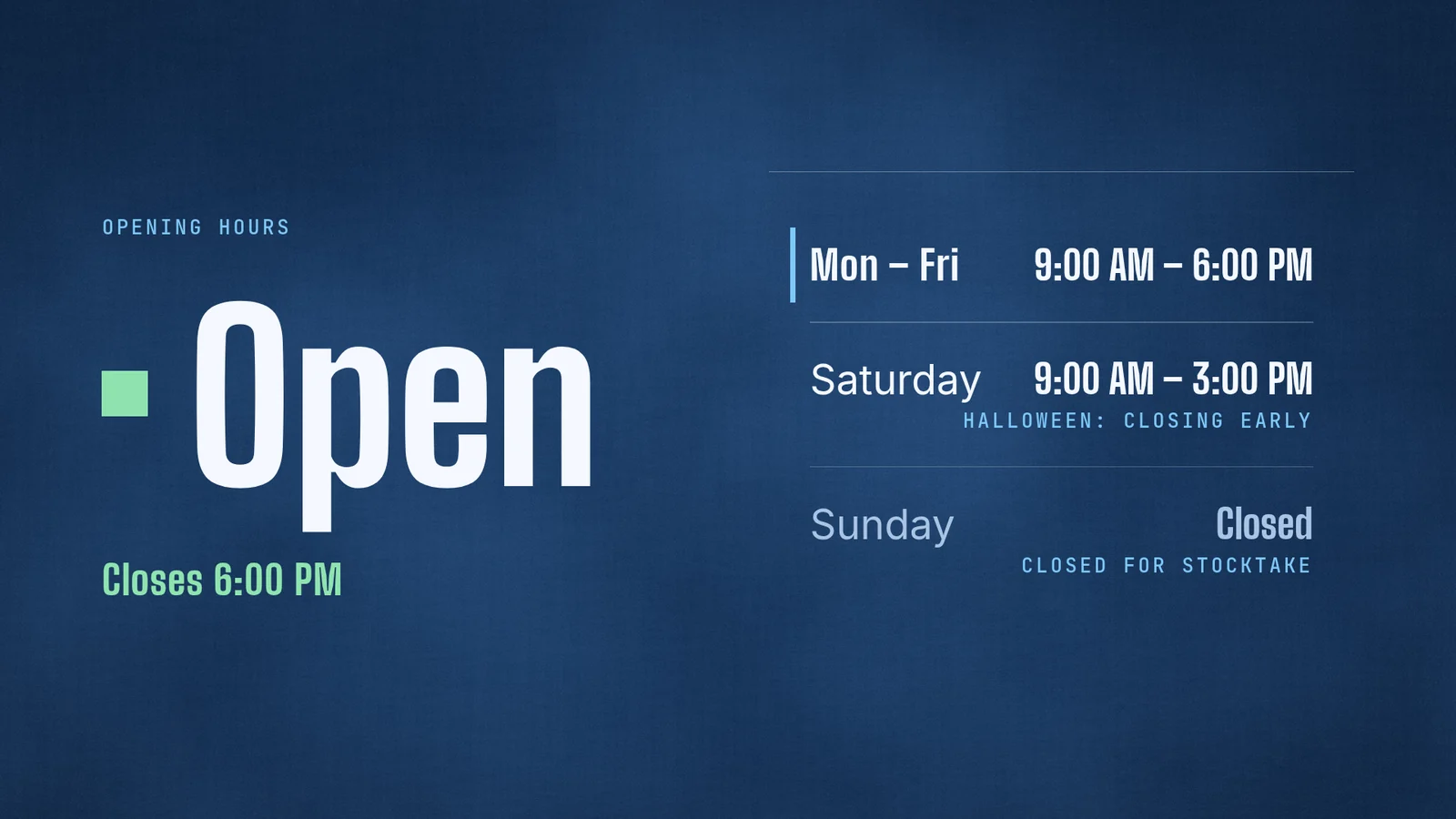
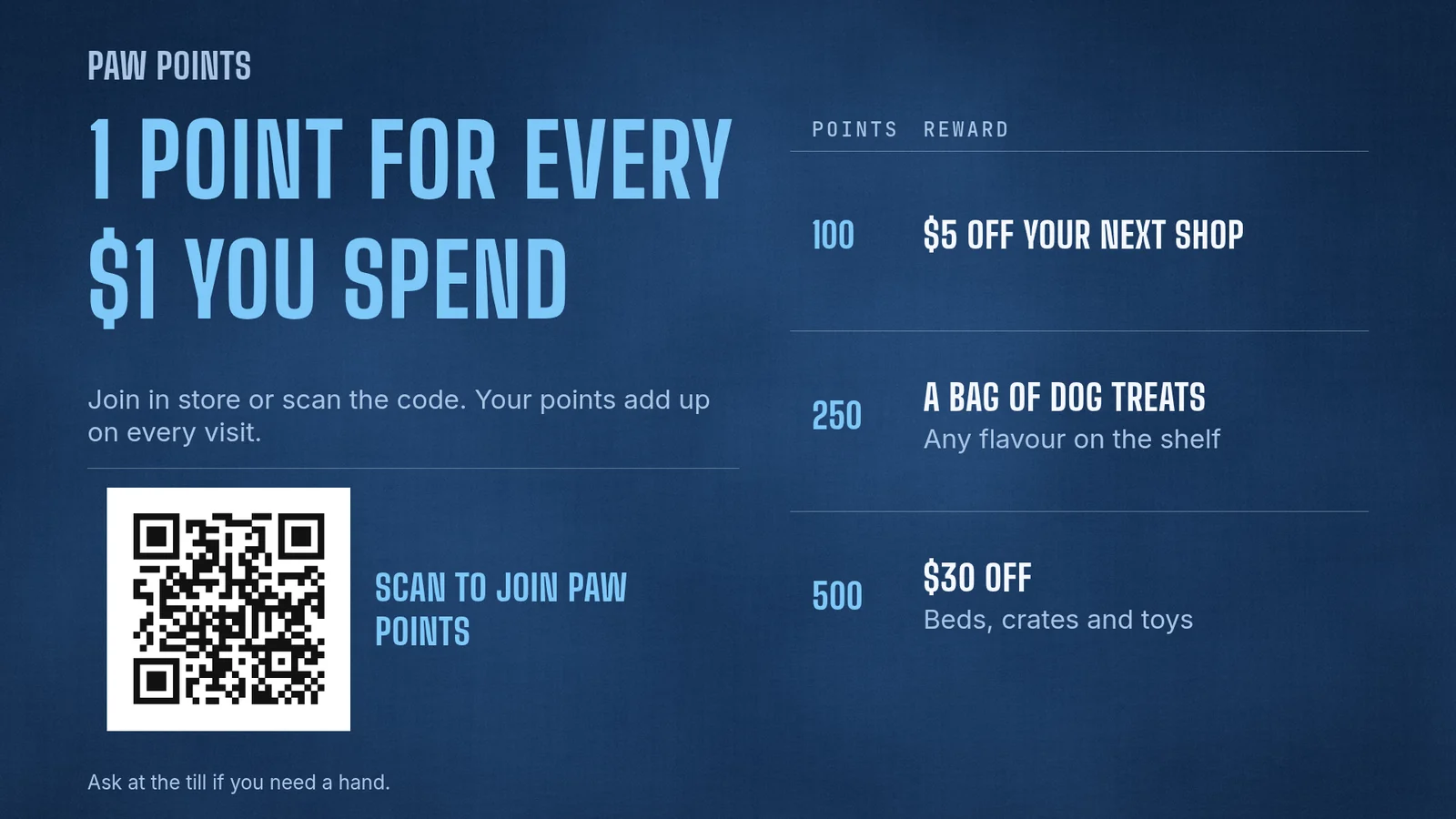
Next week's hours work the same way. Tell your agent once, it updates the screen's data, and nothing is published again.
What does Look Digital Signage cost per screen?
Look's pricing page names one paid plan, PRO, and its calculator sets the price by how many screens you run. Annual billing takes 10% off: it is $13.50 per screen per month for 1 to 5 screens and $11.70 for 6 to 10. Billed monthly it is $15 and $13. Its homepage says from $6 per screen per month with volume pricing.
| Screens | screenRIG | Look PRO, billed annually | Look PRO, billed monthly |
|---|---|---|---|
| 1 | Free | $162 a year | $180 a year |
| 2 | Free | $324 a year | $360 a year |
| 3 | Free | $486 a year | $540 a year |
| 5 | Free | $810 a year | $900 a year |
| 10 | Free | $1,404 a year | $1,560 a year |
Yearly cost is the price per screen times the number of screens times 12, before tax and discounts. Look's calculator also lists storage (5 GB at 1 to 5 screens, 10 GB at 6 to 10) and monthly AI coins, and hardware is left out on both sides. On screenRIG, Standard includes up to 50 screens and 1 GB of storage, and your screens show only your content: no screenRIG watermark or logo. See pricing for more.
Look Digital Signage is a good fit if you want to build multi-zone layouts, video walls and touch screens in a hosted editor, or buy a plug-and-play HDMI player with your software. Look's homepage lists all three, with 24/7 in-app support.
How we checked. Look's prices and limits come from the pages under Sources, read on 28 Oct 2026, in US dollars, which is Look's default currency. Look adds "+VAT" to its euro and pound prices, so every figure here is before tax. Look Digital Signage is a trademark of its owner, and screenRIG is not affiliated with it. If a figure has moved, tell us.
Moving over from Look
Ask your agent to move your screens. Put the originals you uploaded in one folder, or a .zip of it, with a folder for each group of screens. Your agent imports it, tells you what cannot come over and builds a playlist from each folder:
- You
Move our Look screens here. The pictures, videos and music we uploaded are in look-media.zip, with a folder each for the entrance, the aisles and the checkout.
- Agent
I imported the zip. 10 files came over: 8 images, 1 video and 1 music track. 1 did not: index.html in countdown-page is a web page, not an image, video or audio file. The 3 folders became 3 playlists, entrance, aisles and checkout, and the music track plays as the entrance playlist's soundtrack, not at its place in the list. The zip has no screens, so install the screenRIG Player on each one, read me its code, and I'll pair it with its playlist.
- Start from your original files. Your originals are the files you uploaded. Look's upload page lists what its content library takes: PNG and JPG images, video, MP3 audio, ZIP archives with HTML content, and web links.
- Your agent reads a folder, not your account. No Look sign-in or key is involved. Your agent can also write a playlists.csv and a screens.csv next to the files to say which screen plays what.
- What does not come over. HTML archives and web links are not media files, so your agent lists them and adds the web pages again. Layouts, apps and schedules are not files either, so your agent builds them again on screenRIG from a sentence, with the built-in apps.
- Check your player. The screenRIG Player is a free app. Downloads lists every device.
- Cancel last. Keep Look on a screen until a screenshot of its replacement matches.
Start shows how to connect your agent.
Questions
Is Look Digital Signage free?
Its pricing page lists a 14-day free trial with no credit card, then the PRO plan at $13.50 per screen per month for 1 to 5 screens, billed annually (checked 28 Oct 2026). Its FAQ says the trial connects up to 2 screens plus a demo screen and shows a Look watermark in the top right corner until you subscribe to a paid plan. Free digital signage software compared lists the free offers and trials of other tools.
Does the price per screen change as I add screens?
Yes. Look's calculator moves from $13.50 per screen per month at 1 to 5 screens to $11.70 at 6 to 10 on annual billing, and its homepage says from $6 per screen per month with volume pricing. screenRIG's price does not move with the screen count: Standard includes up to 50 screens.
Which devices does Look Digital Signage support?
Its supported systems page lists Android, Windows, Linux, LG webOS, Samsung Tizen, macOS, Fire OS, Amazon Signage, Google TV and Raspberry Pi. screenRIG's Players are Web, Android and Google TV, Amazon Signage Stick and Fire TV Stick, Apple TV, macOS, Windows, Linux, Raspberry Pi, BrightSign and Samsung Smart Signage. LG webOS Signage panels run an IPK package. See the Player guide.
Does Look Digital Signage work with AI agents?
Its homepage lists AI that generates images and video and rewrites copy inside its editor, and an API and Zapier for sending content in. screenRIG's route is your own agent with the official plugin, which runs the whole job on every plan.
What does a second screen cost on screenRIG?
screenRIG is free. Pay only if you want more. Standard covers up to 50 screens, so a second screen costs what the first one did, and so does a tenth. Paid plans add more than 50 screens, people to talk to, contract terms, custom work or a lot of storage, never a feature. See pricing.
See what stores put on screens
Digital signage for small business shows opening hours, offers and specials on a store screen, built by your agent in the same way.
Sources
- www.lookdigitalsignage.com/pricing
- www.lookdigitalsignage.com
- www.lookdigitalsignage.com/faq
- www.lookdigitalsignage.com/supported-operation-systems
- www.lookdigitalsignage.com/knowledge-base/uploading-content-and-content-types
- screenrig.ai/upgrades
- screenrig.ai/docs/players
- screenrig.ai/downloads
- screenrig.ai/docs/start
- screenrig.ai/use-cases/small-business
- screenrig.ai/compare/free-digital-signage-software
- screenrig.ai/contact
Related
screenRIG is free. Pay only if you want more.
Install the official plugin, pair a screen and your agent publishes to it.