A screen app, built by your agent
This is a real session on a test screen, run on 27 October 2026. The agent wrote three small web files, and the board reads one saved value and redraws when it changes. One catch on the way: screenRIG warned that a short page time would restart the app each time it came round, so the agent switched to a day-long page.
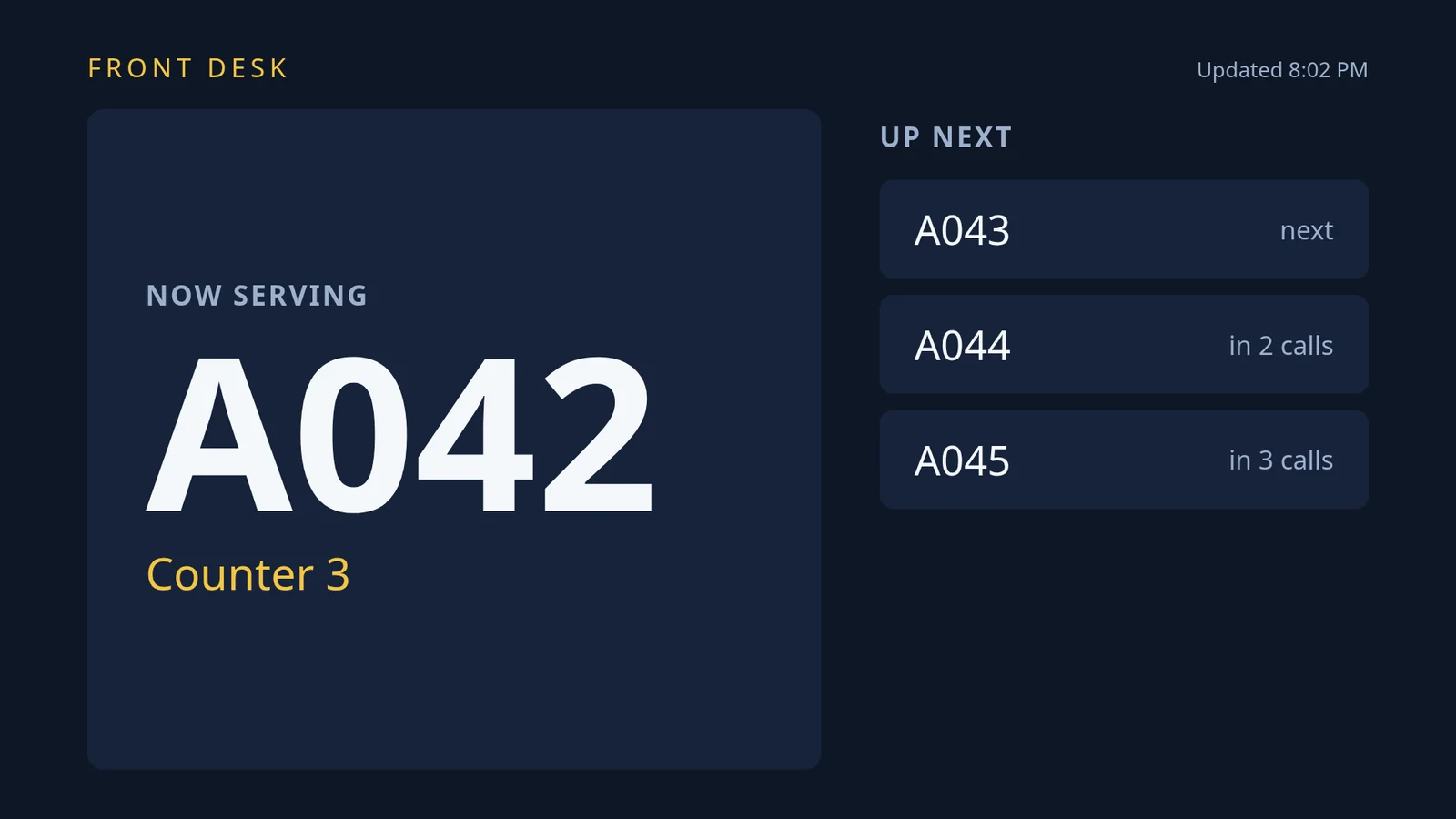
Calling the next ticket again is one more message, and every screen showing the app updates within seconds.
How do Edge Apps and screenRIG applications compare?
Both products take a web app you wrote, put it on a screen and let outside data change what it shows. The difference is who does the work.
| Topic | screenRIG | Screenly Edge Apps |
|---|---|---|
| Who builds it | Your agent writes the app, packs it and puts it on the screen | Your developers write a web app plus a manifest, which is a settings file, and deploy it with Screenly's command-line tool |
| Settings and data | A saved store that belongs to the app and carries over between versions | Text or secret settings, filled in for each copy of the app |
| Changing what it shows | Write a value, and every screen showing the app updates within seconds | Change a setting, then redeploy or update the instance |
| Where it runs | In the screenRIG Player app on the screen. Apple TV plays images, video, streams and cards, but not web apps | On the device with ScreenlyOS, or on some Screenly Anywhere platforms on a server that sends pictures to the screen |
Screenly's pages for these rows are Edge Apps, what an Edge App is and its command-line tool. Screenly is a good fit if you want SOC 2 Type II and network security from the vendor, or if your developers already work in its command-line tool (pricing).
What do Screenly's plans and players cost?
Screenly's pricing page lists three plans, billed annually: Starter at $15 per screen per month for up to 5 screens at 1080p, Business at $24 with unlimited screens and 4K, and Enterprise by quote, from 25 screens. The sixth screen moves a team from Starter to Business.
| Screens | screenRIG | Screenly Starter ($15) | Screenly Business ($24) |
|---|---|---|---|
| 5 | Free | $900 a year | $1,440 a year |
| 6 | Free | Not offered | $1,728 a year |
| 25 | Free | Not offered | $7,200 a year |
| 50 | Free | Not offered | $14,400 a year |
Yearly cost is the published monthly rate times the number of screens times 12, before tax, hardware and discounts. screenRIG is free. Pay only if you want more. Standard includes up to 50 screens, with storage above the first 1 GB and agent requests above 10,000 a month metered, and pricing covers more than 50.
Hardware is separate on Screenly. It sells its own players at $219 and $699 each (cost guide), and a Business or Enterprise yearly plan includes a free Player for each new screen, in the US (free player page). Screenly Anywhere also runs on some devices you own (Screenly Anywhere). The screenRIG Player is a free app for devices you already own: see Downloads.
How we checked. Screenly's plans and limits come from the pages under Sources, read on 27 Oct 2026, in US dollars. Screenly belongs to Screenly, Inc., and screenRIG is not affiliated with it. If a figure has moved, tell us.
Taking your content out of Screenly
Screenly says it is a distribution layer, not an archive, so take the export first and cancel after. Its content guide says there is no bulk export, and that each asset has a link to its original file. Then ask your agent to move everything:
- You
Move our Screenly screens here. I've downloaded the original files, and our Edge App is in this folder.
- Agent
Thanks. I'll upload the files, rebuild each playlist from your notes, and set the app up as a screenRIG application with its settings kept in the app's own storage. Then I'll check each screen against what it showed before.
- Edge Apps come with you. An Edge App is a web app, so its HTML, CSS and JavaScript carry over. Your agent packs the folder and uploads it.
- Labels become tags. Screenly labels become screenRIG tags, so one message can still reach a whole group of screens. Start shows how to connect your agent.
Questions
Is Screenly free?
Its pricing page offers a 14-day trial with no credit card, then Starter at $15 or Business at $24 per screen per month billed annually (checked 27 Oct 2026). Its open-source player, Anthias, is free; see free digital signage software compared.
Does Screenly have an MCP server?
Yes. Screenly's MCP server runs on your own computer inside its command-line tool. screenRIG's is hosted and signs in with OAuth. Digital signage MCP servers compared sets them side by side.
Which Raspberry Pi models run screenRIG?
A Raspberry Pi 4 or 5 with 64-bit Raspberry Pi OS. The Player guide lists the requirements.
Is screenRIG open source?
screenRIG is a hosted service. The official plugin and its bundled command-line tool are published at github.com/screenrig/plugin.
Build your own screen app
Digital signage for developers shows the API, command line and browser SDK behind apps like this one.
Sources
- www.screenly.io/pricing
- www.screenly.io/free-digital-signage-player
- www.screenly.io/foundations/digital-signage-cost
- www.screenly.io/docs/anywhere
- www.screenly.io/docs/developers/edge-apps/overview/what-an-edge-app-is
- developer.screenly.io/edge-apps
- developer.screenly.io/cli
- www.screenly.io/docs/content/library/getting-your-content-back
- www.screenly.io/docs/developers/mcp/reference/tools
- anthias.screenly.io
- screenrig.ai/pricing
- screenrig.ai/docs/sdk
- screenrig.ai/docs/players
- screenrig.ai/downloads
Related
screenRIG is free. Pay only if you want more.
Install the official plugin, pair a screen and your agent publishes to it.