Category: Operations. Tags: Recognition, Alerts and status, Offices and workplaces.
Previews
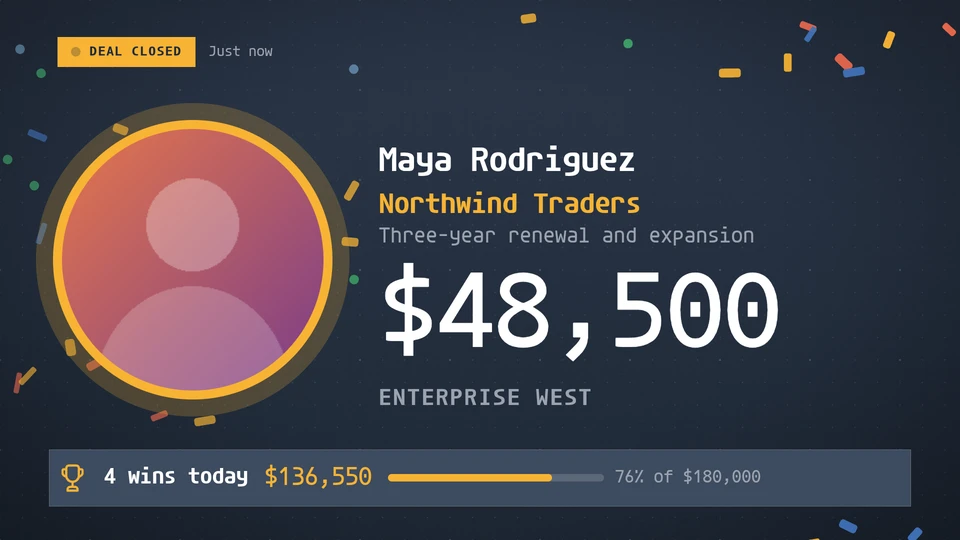
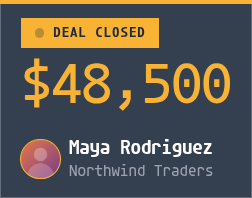

Views and forms
Views: canvas, corner, chip. Canvas forms: landscape, portrait, square, strip.
Card views, themes and publishing. Browse the gallery.
Data and privacy
This card uses its configured properties and live card data.
Properties
For theme, background, accent and position, see Common properties.
Set static properties in params. Bind data to a project card data key for live values; that document holds only dynamic properties. Without a data key, put the complete configuration in params. Nested rows describe the contents of their parent property.
Static properties
| Name | Type | Default | Values and limits | Description |
|---|---|---|---|---|
title | string | "Deal closed" | maxLength: 30 | The label on the celebration. |
currency | string | "$" | maxLength: 4 | The currency symbol shown before amounts. |
celebrateSec | integer | 30 | minimum: 5; maximum: 600 | How long a new win holds the celebration before the card settles. |
Dynamic properties
| Name | Type | Default | Values and limits | Description |
|---|---|---|---|---|
target | number | minimum: 0 | Today's target in major units; the settled view shows progress towards it. | |
wins | array | [] | maxItems: 50 | Closed deals, in any order; the newest by at is the win on show. A win less than celebrateSec old takes the card over. |
wins[].id | string | "" | maxLength: 40 | Keys the win, so one already shown does not celebrate again. |
wins[].name | string | minLength: 1; maxLength: 60; Required | Who closed the deal. | |
wins[].team | string | "" | maxLength: 40 | |
wins[].photo | string | "" | maxLength: 120 | A media reference to the person's picture; empty shows their initials. |
wins[].deal | string | "" | maxLength: 100 | The customer or deal name. |
wins[].amount | number | 0 | minimum: 0 | The deal value in major units. |
wins[].at | string | "" | maxLength: 40 | When the deal closed, an ISO 8601 instant. |
wins[].note | string | "" | maxLength: 120 | A short line under the deal, such as a product or term. |
Canvas example
Add this item to a playlist page’s primitives. Publish the playlist and assign a screen.
{
  "id": "win-alert",
  "primitive": "card",
  "card": "win-alert",
  "major": 1,
  "params": {
    "theme": "neomustard"
  },
  "rect": {
    "x": 0,
    "y": 0,
    "width": 1920,
    "height": 1080
  },
  "layer": 0,
  "content_fit": "fill",
  "data": "win-alert-main"
}
Write live data
Create this document before showing the card, then replace it to update the screen without republishing. Use the same project as the playlist. Supply your API authorization through the environment; see API authentication.
curl --request PUT "https://api.screenrig.ai/api/card-data/win-alert-main" \
  --header "Authorization: Bearer $SCREENRIG_TOKEN" \
  --header "ScreenRig-Project: $SCREENRIG_PROJECT" \
  --header "Content-Type: application/json" \
  --data '{"document":{"target":1,"wins":[]}}'