Category: Operations. Tags: Schedules, Offices and workplaces, Events and venues.
Previews

Views and forms
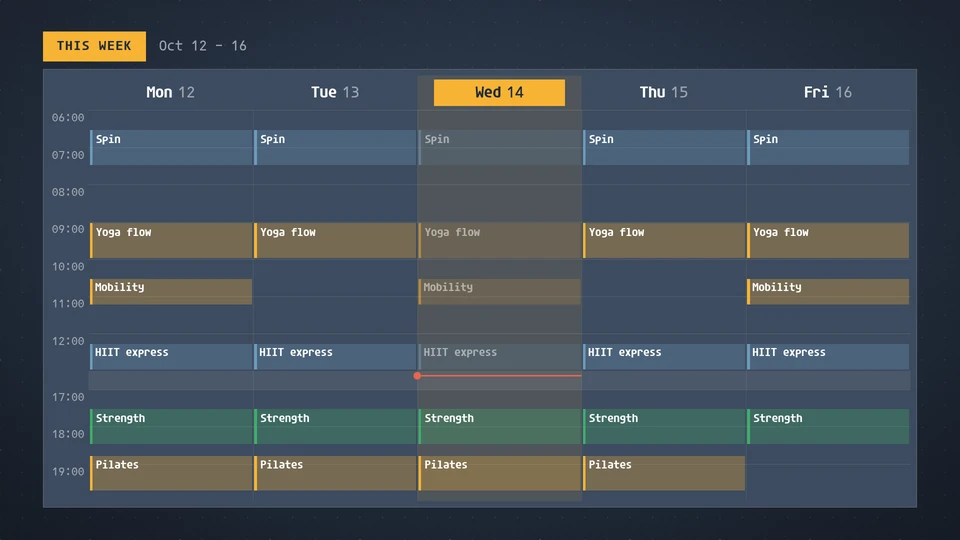
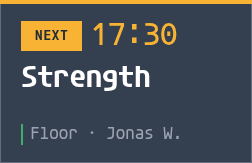
Views: canvas, corner, chip. Canvas forms: landscape, portrait, square, strip.
Card views, themes and publishing. Browse the gallery.
Data and privacy
This card uses its configured properties and live card data.
Properties
For theme, background, accent and position, see Common properties.
Set static properties in params. Bind data to a project card data key for live values; that document holds only dynamic properties. Without a data key, put the complete configuration in params. Nested rows describe the contents of their parent property.
Static properties
| Name | Type | Default | Values and limits | Description |
|---|---|---|---|---|
title | string | "This week" | maxLength: 30 | |
days | integer | 5 | 5, 6, 7 | Days shown from Monday: 5 is Monday to Friday, 7 the whole week. |
weekOffset | integer | 0 | minimum: -8; maximum: 8 | 0 shows this week, 1 next week, -1 last week. |
hour12 | boolean | false | Show times as 9:00 AM instead of 09:00. | |
startHour | integer | minimum: 0; maximum: 23 | The first hour of the grid; by default the earliest event. | |
endHour | integer | minimum: 1; maximum: 24 | The hour the grid ends; by default the latest event. |
Dynamic properties
| Name | Type | Default | Values and limits | Description |
|---|---|---|---|---|
events | array | [] | maxItems: 200 | The week's classes, shifts or bookings, in any order. Times are ISO 8601; a time with no offset is the screen's local time. |
events[].id | string | "" | maxLength: 40 | Keys the event, so one already shown does not animate again. |
events[].title | string | minLength: 1; maxLength: 60; Required | ||
events[].start | string | maxLength: 40; Required | When it starts, such as 2026-10-14T09:00. | |
events[].end | string | "" | maxLength: 40 | When it ends; empty means one hour after the start. |
events[].place | string | "" | maxLength: 40 | The room, studio or location. |
events[].who | string | "" | maxLength: 40 | The instructor, host or person on shift. |
events[].group | string | "" | maxLength: 30 | Events in one group share a colour, such as a class type or a team. |
Canvas example
Add this item to a playlist page’s primitives. Publish the playlist and assign a screen.
{
  "id": "week-schedule",
  "primitive": "card",
  "card": "week-schedule",
  "major": 1,
  "params": {
    "theme": "neomustard"
  },
  "rect": {
    "x": 0,
    "y": 0,
    "width": 1920,
    "height": 1080
  },
  "layer": 0,
  "content_fit": "fill",
  "data": "week-schedule-main"
}
Write live data
Create this document before showing the card, then replace it to update the screen without republishing. Use the same project as the playlist. Supply your API authorization through the environment; see API authentication.
curl --request PUT "https://api.screenrig.ai/api/card-data/week-schedule-main" \
  --header "Authorization: Bearer $SCREENRIG_TOKEN" \
  --header "ScreenRig-Project: $SCREENRIG_PROJECT" \
  --header "Content-Type: application/json" \
  --data '{"document":{"events":[]}}'