Category: Retail. Tags: Stores, Restaurants and cafes, Prices and rates.
Previews
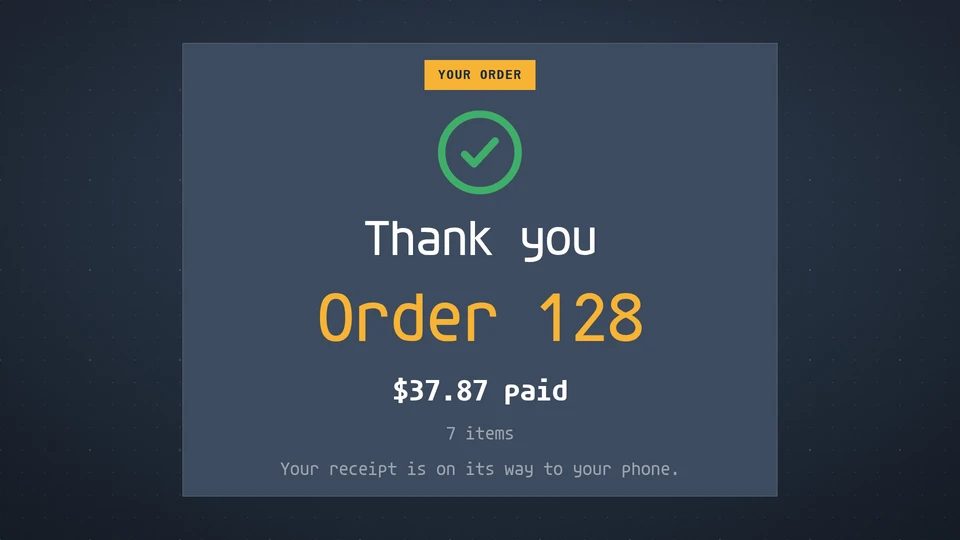
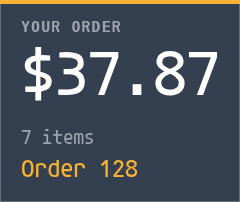

Views and forms
Views: canvas, corner, chip. Canvas forms: landscape, portrait, square, strip.
Card views, themes and publishing. Browse the gallery.
Data and privacy
This card uses its configured properties and live card data.
Properties
For theme, background, accent and position, see Common properties.
Set static properties in params. Bind data to a project card data key for live values; that document holds only dynamic properties. Without a data key, put the complete configuration in params. Nested rows describe the contents of their parent property.
Static properties
| Name | Type | Default | Values and limits | Description |
|---|---|---|---|---|
title | string | "Your order" | maxLength: 30 | |
status | string | "open" | "open", "paying", "paid" | open shows the cart, paying adds the payment prompt, paid shows the thank-you. |
orderNumber | string | "" | maxLength: 12 | |
currency | string | "$" | maxLength: 4 | The currency symbol shown before amounts. |
decimals | integer | 2 | 0, 2 | 0 shows whole amounts (for yen or won). |
discount | number | 0 | minimum: 0 | An order-level discount in major units, on top of line discounts. |
discountLabel | string | "" | maxLength: 30 | Names the order discount, for example Loyalty 10%. |
subtotal | number | minimum: 0 | Overrides the sum of the lines. | |
tax | number | minimum: 0 | The tax amount; the Tax row shows only when it is given. | |
taxLabel | string | "" | maxLength: 20 | |
tip | number | 0 | minimum: 0 | |
total | number | minimum: 0 | Overrides the total the card works out (subtotal - discounts + tax + tip). | |
welcome | string | "" | maxLength: 40 | The idle greeting. Empty reads Welcome. |
welcomeNote | string | "" | maxLength: 100 | |
payPrompt | string | "" | maxLength: 50 | Empty reads Tap, insert or swipe to pay. |
thanks | string | "" | maxLength: 40 | Empty reads Thank you. |
paidNote | string | "" | maxLength: 100 | A line under the thank-you, for example where the receipt went. |
Dynamic properties
| Name | Type | Default | Values and limits | Description |
|---|---|---|---|---|
lines | array | [] | maxItems: 60 | |
lines[].id | string | "" | maxLength: 40 | Keys the line, so a line already shown does not animate again. |
lines[].qty | integer | 1 | minimum: 1; maximum: 999 | |
lines[].name | string | minLength: 1; maxLength: 60; Required | ||
lines[].mods | string or array | "" | anyOf: [{"type":"string","maxLength":80},{"type":"array","maxItems":8,"items":{"type":"string","maxLength":30}}] | |
lines[].price | number | 0 | minimum: 0 | The unit price in major units (12.50). A line with no price and no discount reads Free. |
lines[].discount | number | 0 | minimum: 0 | An amount off this line, in major units. |
Canvas example
Add this item to a playlist page’s primitives. Publish the playlist and assign a screen.
{
  "id": "order-confirmation",
  "primitive": "card",
  "card": "order-confirmation",
  "major": 1,
  "params": {
    "theme": "neomustard"
  },
  "rect": {
    "x": 0,
    "y": 0,
    "width": 1920,
    "height": 1080
  },
  "layer": 0,
  "content_fit": "fill",
  "data": "order-confirmation-main"
}
Write live data
Create this document before showing the card, then replace it to update the screen without republishing. Use the same project as the playlist. Supply your API authorization through the environment; see API authentication.
curl --request PUT "https://api.screenrig.ai/api/card-data/order-confirmation-main" \
  --header "Authorization: Bearer $SCREENRIG_TOKEN" \
  --header "ScreenRig-Project: $SCREENRIG_PROJECT" \
  --header "Content-Type: application/json" \
  --data '{"document":{"lines":[]}}'