Category: Operations. Tags: Numbers and metrics, Stores, Offices and workplaces, Healthcare.
Previews
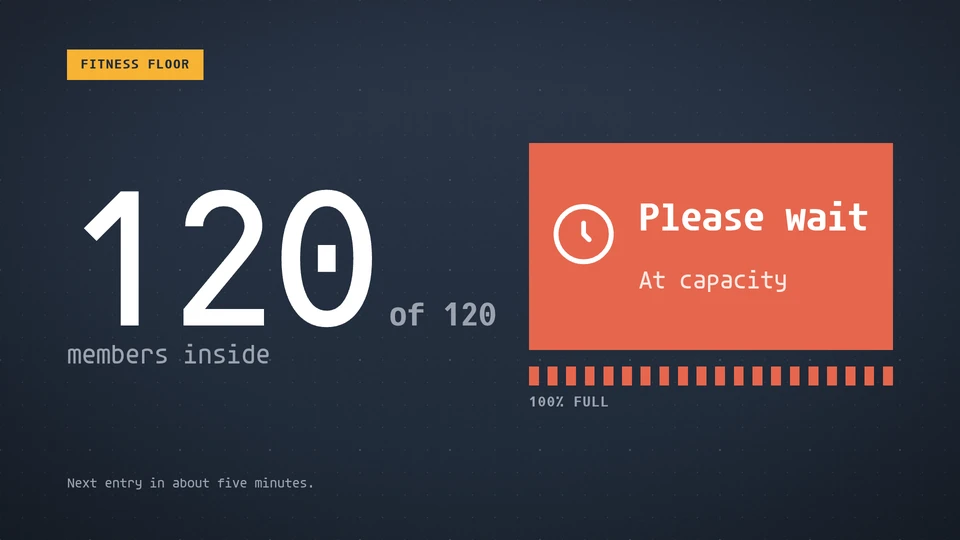
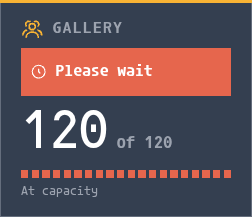

Views and forms
Views: canvas, corner, chip. Canvas forms: landscape, portrait, square, strip.
Card views, themes and publishing. Browse the gallery.
Data and privacy
This card uses its configured properties and live card data.
Properties
For theme, background, accent and position, see Common properties.
Set static properties in params. Bind data to a project card data key for live values; that document holds only dynamic properties. Without a data key, put the complete configuration in params. Nested rows describe the contents of their parent property.
Static properties
| Name | Type | Default | Values and limits | Description |
|---|---|---|---|---|
title | string | "Occupancy" | maxLength: 40 | |
noun | string | "people" | minLength: 1; maxLength: 16 | Who is counted: people, guests, visitors, shoppers. Reads "people inside". |
warnPercent | integer | 80 | minimum: 50; maximum: 99 | From this share of capacity the board reads nearly full. |
openMessage | string | "Welcome, come in" | maxLength: 40 | |
busyMessage | string | "Nearly full" | maxLength: 40 | |
fullMessage | string | "Please wait" | maxLength: 40 |
Dynamic properties
| Name | Type | Default | Values and limits | Description |
|---|---|---|---|---|
inside | integer | 0 | minimum: 0; maximum: 99999 | How many are inside now. |
capacity | integer | 0 | minimum: 0; maximum: 99999 | The most that may be inside. 0 shows the waiting state until it is set. |
footnote | string | "" | maxLength: 120 | A line for the foot of the board: when the next entry is, where to queue. |
Canvas example
Add this item to a playlist page’s primitives. Publish the playlist and assign a screen.
{
  "id": "occupancy",
  "primitive": "card",
  "card": "occupancy",
  "major": 1,
  "params": {
    "theme": "neomustard"
  },
  "rect": {
    "x": 0,
    "y": 0,
    "width": 1920,
    "height": 1080
  },
  "layer": 0,
  "content_fit": "fill",
  "data": "occupancy-main"
}
Write live data
Create this document before showing the card, then replace it to update the screen without republishing. Use the same project as the playlist. Supply your API authorization through the environment; see API authentication.
curl --request PUT "https://api.screenrig.ai/api/card-data/occupancy-main" \
  --header "Authorization: Bearer $SCREENRIG_TOKEN" \
  --header "ScreenRig-Project: $SCREENRIG_PROJECT" \
  --header "Content-Type: application/json" \
  --data '{"document":{"inside":0,"capacity":0,"footnote":""}}'