# Exam board card
> Canonical HTML: https://screenrig.ai/docs/cards/exam-board/
Today's exams by time and room: where to go, when it starts and how long it runs, with seating, in progress and room changes.
Category: Schools. Tags: Schools and campuses, Schedules, Wayfinding and directories, Alerts and status.
## Previews
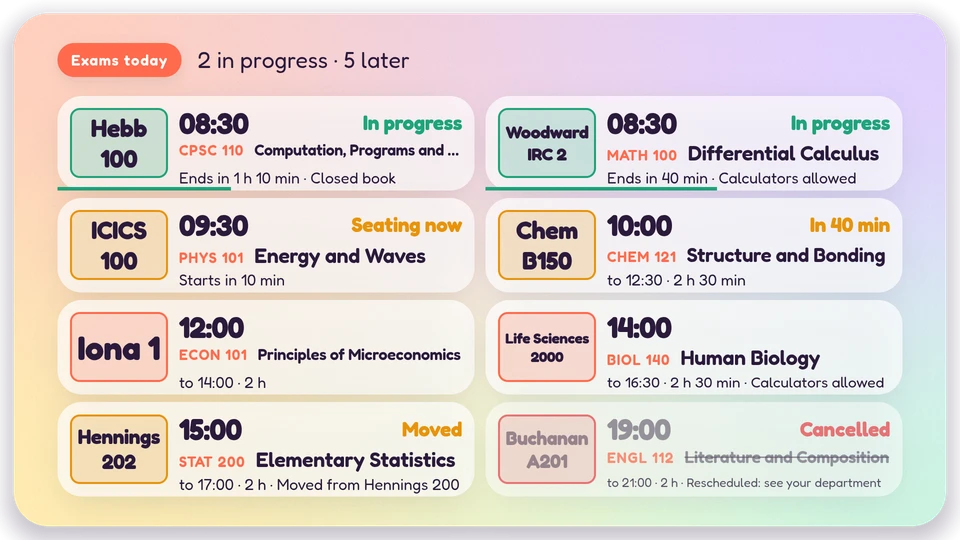
Canvas
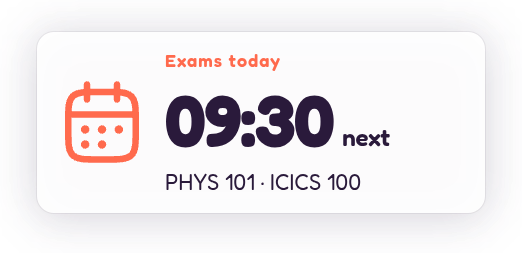
Corner

Chip
## Views and forms
Views: canvas, corner, chip. Canvas forms: landscape, portrait, square, strip.
[Card views, themes and publishing](/docs/cards/). [Browse the gallery](/apps/#cards).
## Data and privacy
This card uses its configured properties and live card data.
Courses, rooms and times only; never students or seating lists.
## Properties
For theme, background, accent and position, see [Common properties](/docs/cards/#common-properties).
Set static properties in `params`. Bind `data` to a project card data key for live values; that document holds only dynamic properties. Without a data key, put the complete configuration in `params`. Nested rows describe the contents of their parent property.
### Static properties
| Name | Type | Default | Values and limits | Description |
| --- | --- | --- | --- | --- |
| `title` | string | `"Exams today"` | maxLength: `40` | |
| `seatingMinutes` | integer | `20` | minimum: `0`; maximum: `120` | Seating opens this long before the start; 0 shows no seating. |
| `defaultMinutes` | integer | `120` | minimum: `15`; maximum: `480` | Length of an exam with no end and no minutes. |
| `footnote` | string | `""` | maxLength: `120` | One line under the board: Phones off. Bring your student card. |
| `hour12` | boolean | `false` | | |
| `timeZone` | string, null | `null` | | |
### Dynamic properties
| Name | Type | Default | Values and limits | Description |
| --- | --- | --- | --- | --- |
| `exams` | array | `[]` | maxItems: `60` | Today's exams: course, room and times. Never students. |
| `exams[].course` | string | | minLength: `1`; maxLength: `24`; Required | Course code: CPSC 110. |
| `exams[].title` | string | | maxLength: `80` | Introduction to Computer Systems. |
| `exams[].room` | string | | minLength: `1`; maxLength: `28`; Required | Hennings 200. |
| `exams[].start` | string | | maxLength: `30`; Required | HH:MM today, or an ISO 8601 time (an offset, or wall time in the screen's zone). |
| `exams[].end` | string | | maxLength: `30` | HH:MM or ISO 8601; without it the exam lasts minutes. |
| `exams[].minutes` | integer | | minimum: `5`; maximum: `720` | Length of the exam when end is absent. |
| `exams[].date` | string | | maxLength: `10` | YYYY-MM-DD for an HH:MM time; without it, today. |
| `exams[].note` | string | | maxLength: `60` | Calculators allowed. Open book. |
| `exams[].status` | string | `"scheduled"` | `"scheduled"`, `"moved"`, `"cancelled"` | Moved shows the note (the new room); cancelled strikes the row through. |
## Canvas example
Add this item to a playlist page’s `primitives`. [Publish the playlist and assign a screen](/docs/cards/#publish-a-card-canvas).
```json
{
"id": "exam-board",
"primitive": "card",
"card": "exam-board",
"major": 1,
"params": {
"theme": "neomustard"
},
"rect": {
"x": 0,
"y": 0,
"width": 1920,
"height": 1080
},
"layer": 0,
"content_fit": "fill",
"data": "exam-board-main"
}
```
## Write live data
Create this document before showing the card, then replace it to update the screen without republishing. Use the same project as the playlist. Supply your API authorization through the environment; see [API authentication](/docs/authentication/).
```console
curl --request PUT "https://api.screenrig.ai/api/card-data/exam-board-main" \
--header "Authorization: Bearer $SCREENRIG_TOKEN" \
--header "ScreenRig-Project: $SCREENRIG_PROJECT" \
--header "Content-Type: application/json" \
--data '{"document":{"exams":[]}}'
```